M2 Screw Kit
By Fix It Today, 05/07/2026 · 1 min read
Item guide
M2 Screw Kit
This article explains how to use M2 Screw Kit in a MakerAccess project, with the key concepts, build route, and useful reference links.
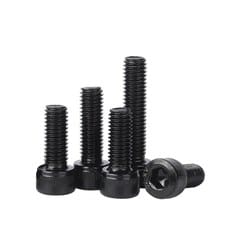
Purpose
What it is for
Concepts
Build path
How to use it
Start small, test the fit or circuit, then combine it with the rest of the project.
Dry-fit the printed parts before tightening screws.
Start screws by hand to avoid cross-threading.
Stop tightening when the parts are secure; small plastic parts can crack.
Project links
Useful links
Open the reference that matches your project route.
No external project link is needed for this item.
Survey and feedback
Help improve MakerAccess
Have an idea for what MakerAccess should stock, improve, or explain next? Share it in the survey. If you bought or used a product and want to comment on the item itself, use the product feedback form.
Do the surveyProduct feedback form

