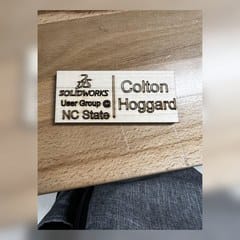
ItemBack to item dashboard
Nametag Pins
By Fix It Today, 05/07/2026 · 2 min read
Nametag Pins item guide for MakerAccess vending machine projects.
Item guide
Nametag Pins
This article explains how to use Nametag Pins in a MakerAccess project, with the key concepts, build route, and useful reference links.
Project ideas
Builds to try
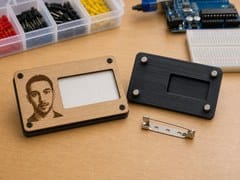
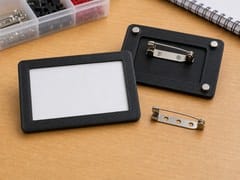
Use these as starting points, then adjust the model, tag, clip, or attachment for the item you bought.

Purpose
What it is for
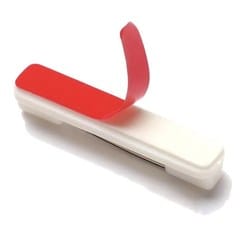
Nametag PinTurn cards, badges, or small crafts into wearable pins.
Concepts
Badge hardware turns a flat card, printed piece, or small craft into something wearable.
The pin or clip position affects how the badge hangs, so it should be centred before attachment.
Build path
How to use it
Start small, test the fit or circuit, then combine it with the rest of the project.
1
Finish the badge face before adding the pin or clip.
2
Place the attachment point near the upper centre so it hangs upright.
3
Check sharp points and clips before wearing it.
Project links
Useful links
Open the reference that matches your project route.
Instructables: Laser Cutter Name Tag
Blue Paper Tech: making a 3D printed name badge
Printables: badge holder models
MakerWorld: personalized name tag model
Printables: name badge models
Survey and feedback
Help improve MakerAccess
Have an idea for what MakerAccess should stock, improve, or explain next? Share it in the survey. If you bought or used a product and want to comment on the item itself, use the product feedback form.
Do the surveyProduct feedback form

