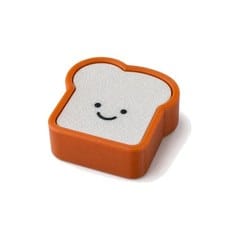
Toast Fidget Clicker
By Admin, 05/07/2026 · 1 min read
Item guide
Toast Fidget Clicker
This article explains how to use Toast Fidget Clicker in a MakerAccess project, with the key concepts, build route, and useful reference links.
Purpose
What it is for
Concepts
Build path
How to use it
Start small, test the fit or circuit, then combine it with the rest of the project.
Choose a holder design that is meant for a mechanical keyboard-style switch.
Press-fit the clicker switch gently and check that the moving part can flex or slide freely.
Attach chains, loops, or lanyards only after the click action works.
Test repeated presses before using it as a keychain or fidget item.
Project links
Useful links
Open the reference that matches your project route.
No external project link is needed for this item.
Survey and feedback
Help improve MakerAccess
Have an idea for what MakerAccess should stock, improve, or explain next? Share it in the survey. If you bought or used a product and want to comment on the item itself, use the product feedback form.
Do the surveyProduct feedback form