Fusion 360 to Bambu Studio: 3MF export and slicing, step by step
By Admin, 09/09/2026 · 3 min read

Fusion 360 workshop
Fusion 360 to Bambu Studio: 3MF export and slicing, step by step
Export the finished body as a 3MF file and check the sliced result in Bambu Studio before printing.
File types
Fusion, STL and 3MF
Use the file type that matches the next job.
06 Export and print
Save As Mesh, step by step
Right-click Body1, Save As Mesh
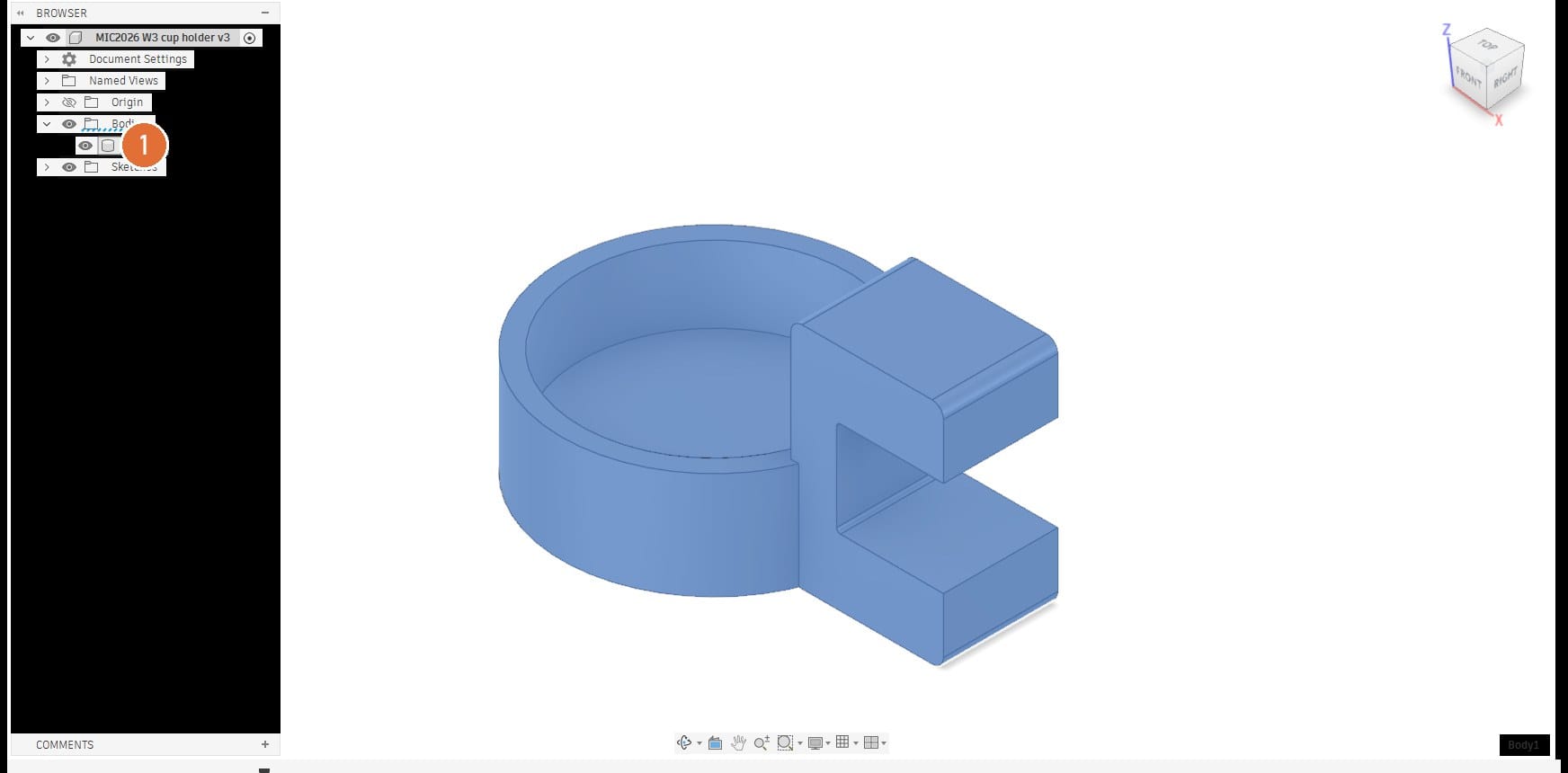
- 1Body1: Under Bodies in the browser. Right-click it and pick Save As Mesh, near the bottom of the menu.
On screen: The SAVE AS MESH panel opens on the right and the body shows its triangles.
Save As Mesh settings
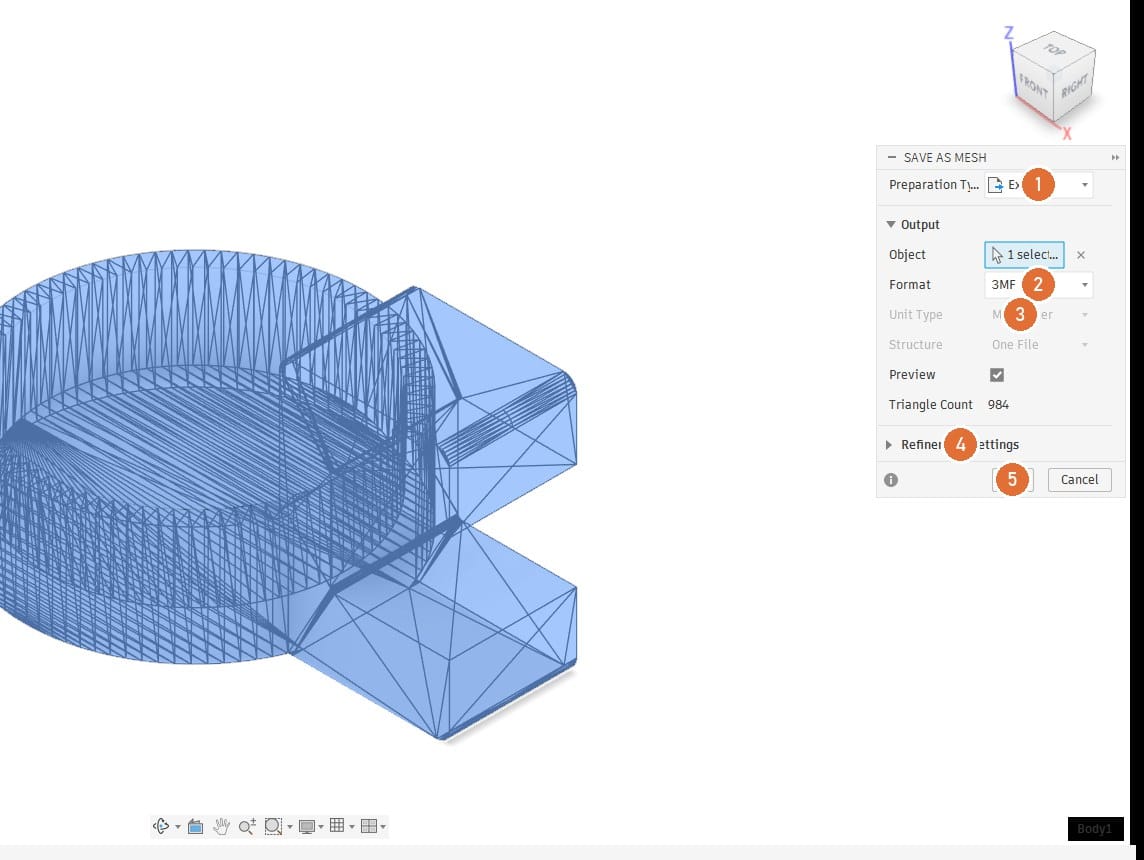
- 1Preparation Type: Export.
- 2Format: 3MF.
- 3Unit Type: Check that the exported model uses millimetres. Confirm its dimensions again after importing into the slicer.
- 4Refinement Settings: Start with Medium and inspect curved surfaces in the mesh preview. Increase refinement if the curve looks faceted; finer meshes produce larger files.
- 5OK
On screen: Triangle Count updates as the refinement changes.
Save to the computer
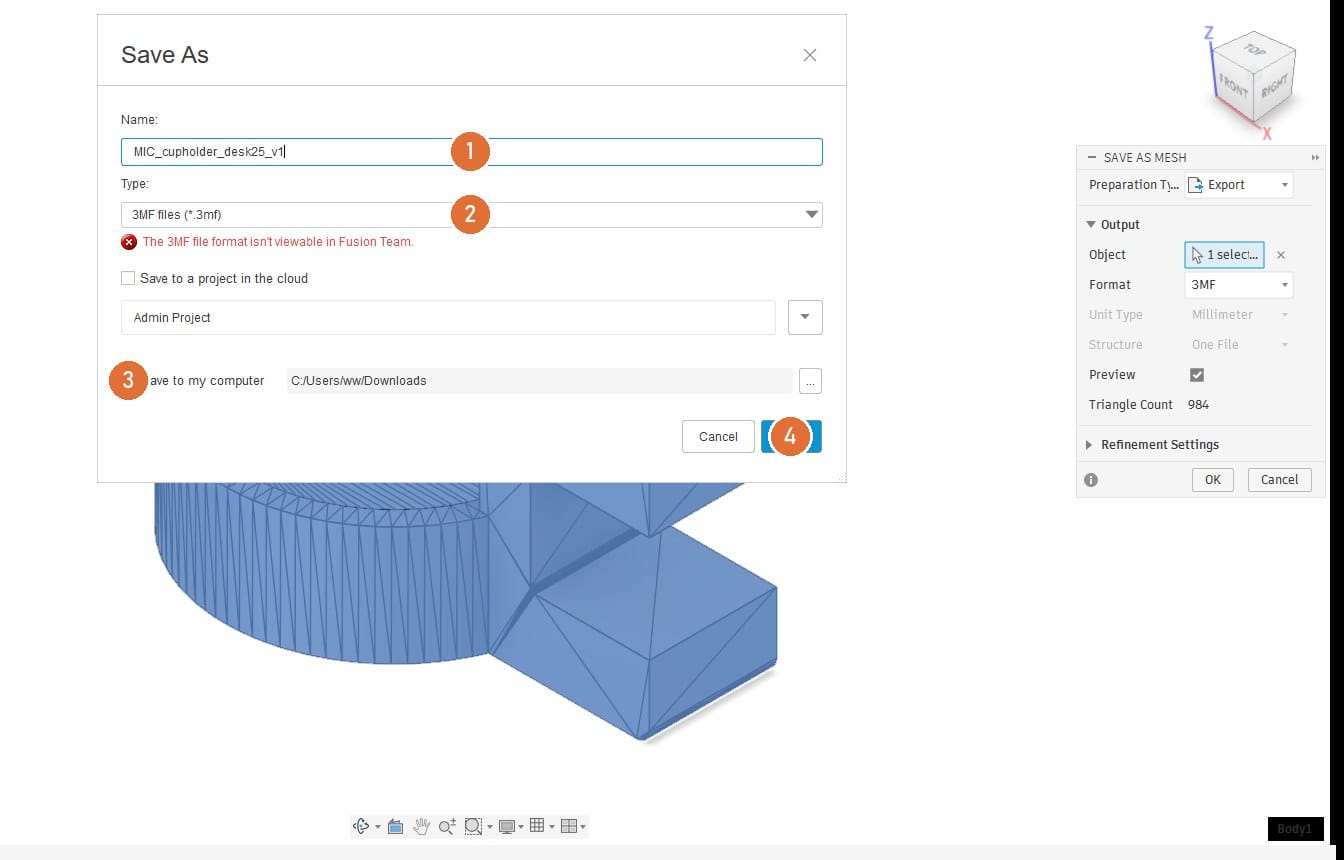
- 1Name: MIC_cupholder_desk25_v1. Team, part, the parameter that matters, version.
- 2Type: 3MF files. The red note about Fusion Team is fine.
- 3Save to my computer: Tick it and pick the folder. Untick "Save to a project in the cloud".
- 4Save
On screen: Check that the .3mf file appears in the selected folder, then open it in Bambu Studio.
Orientation
Print orientation: standing on its base
Place the base on the plate as shown. Inspect the slot ceiling and other overhangs in Preview to check where supports are needed. Layer direction affects strength, so test the printed holder before use.
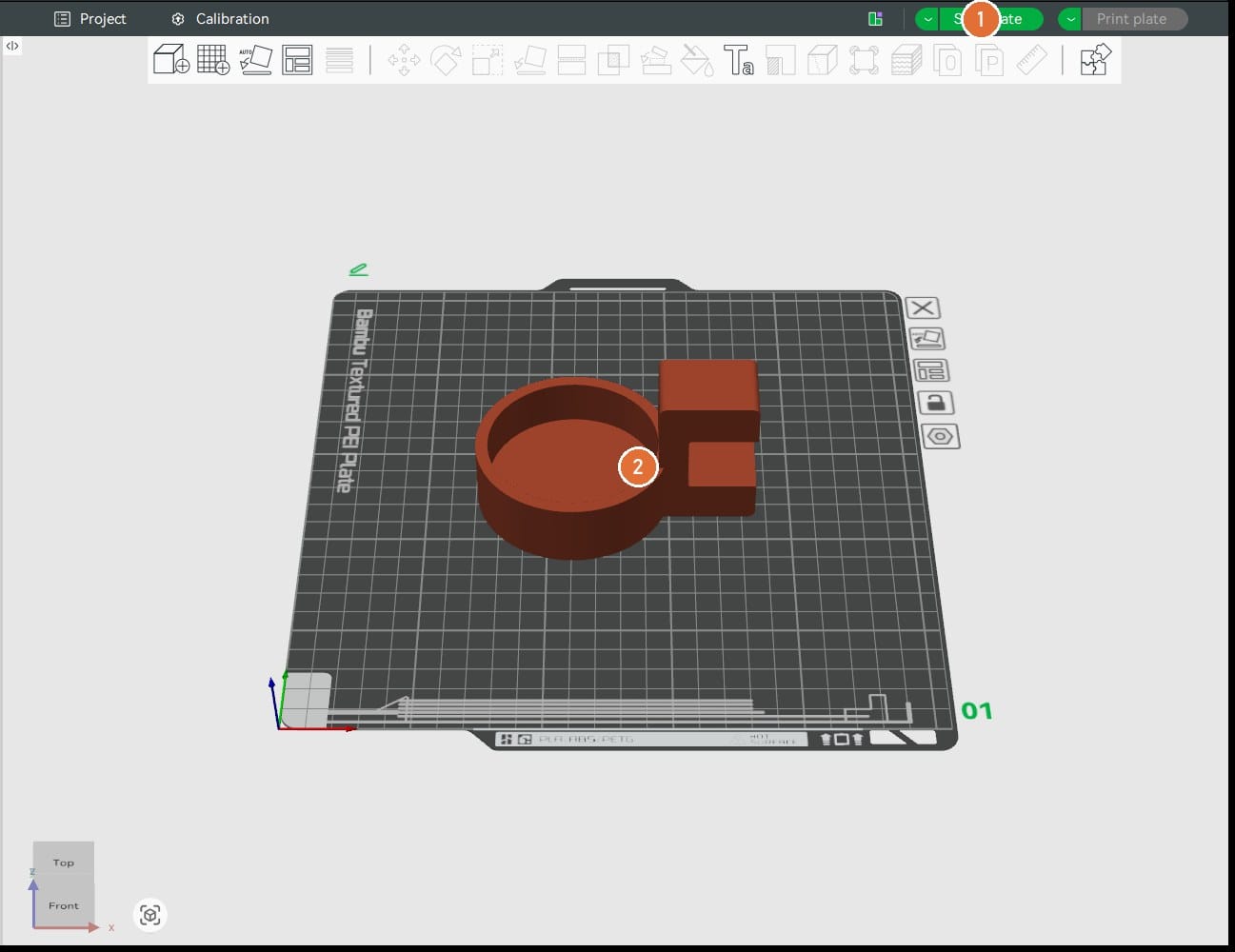
Bambu Studio
Slice and read the preview
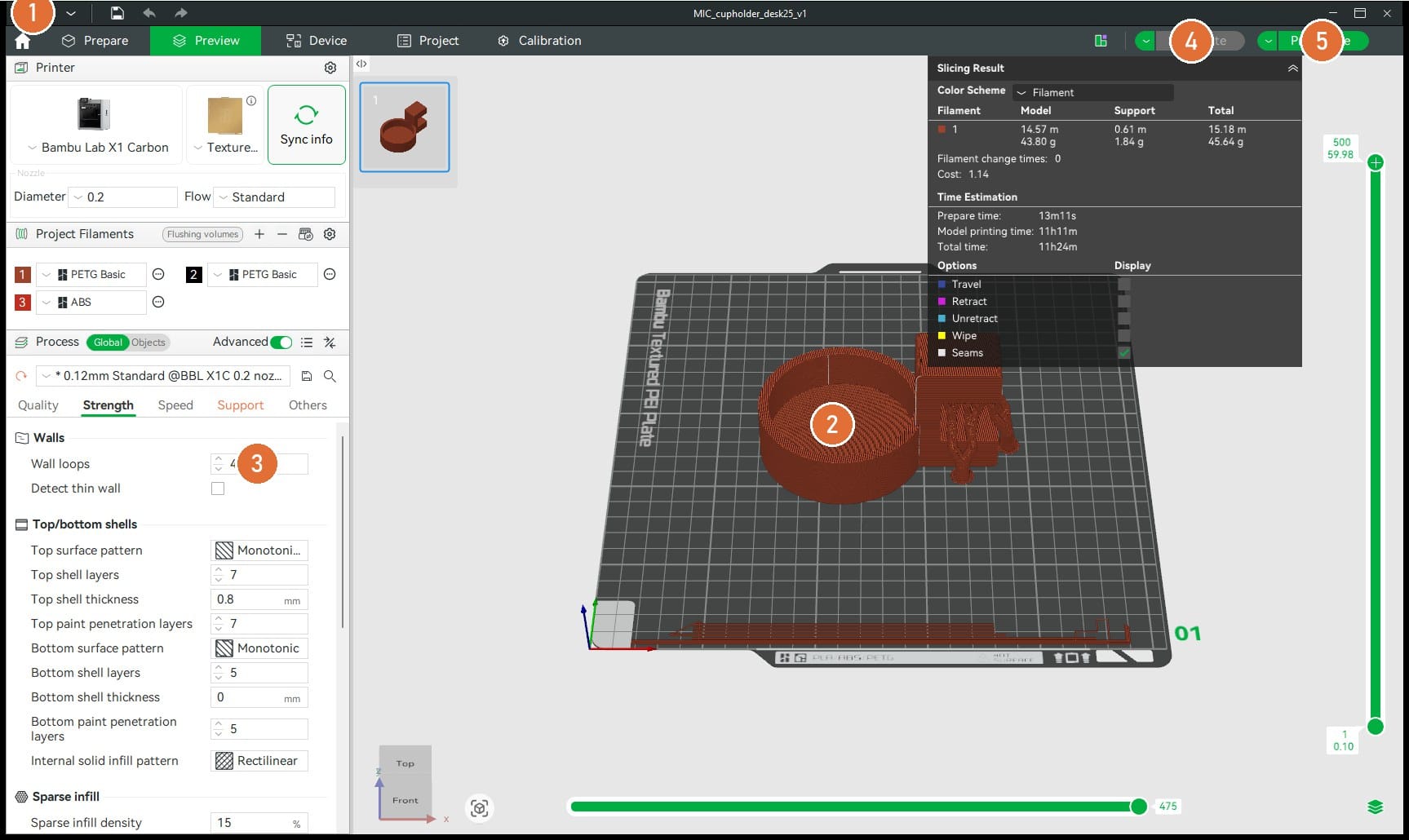
Import the 3MF and check its size and orientation. Select the correct printer, nozzle, build plate and loaded filament before slicing. For this exercise, start with 0.20 mm Standard, 3 wall loops, 15 to 20 percent infill and supports enabled. The example screenshot shows 0.12 mm; change it to 0.20 mm. Select Slice plate and use the layer slider to inspect the walls, overhangs and supports.
Design rules
Check the design before printing
Check the next version against these before exporting it.
Related articles

Fusion 360 cup holder: modelling, step by step
Build the Fusion 360 cup holder from a blank file: C profile, cup body, cavity, fillets and a desk parameter.

Fusion 360 thermal simulation, step by step
Set up the Fusion 360 thermal study for the cup holder and compare material choices for a hot cup wall.

Fusion 360 static stress simulation, step by step
Set up the Fusion 360 static stress study for the cup holder and read safety factor, von Mises stress and displacement.