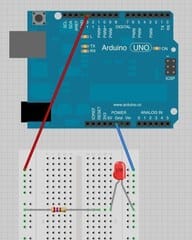
LED and resistor wiring
Use a resistor in series with the LED. The resistor can sit before or after the LED, but the circuit still needs one current-limiting resistor.
By Fix It Today, 05/07/2026 · 2 min read
Item guide
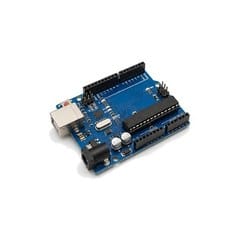
This article explains how to use Arduino Nano & Expansion Board in a MakerAccess project, with the key concepts, build route, and useful reference links.
Purpose
Build path
Start small, test the fit or circuit, then combine it with the rest of the project.
Build one small circuit first, then add parts one at a time.
Connect ground first, then power, then signal wires.
Upload a simple sketch and test the part before combining it with a larger build.
Connection guide
Use the visual map before adding extra modules, displays, motors, or code.
Use a resistor in series with the LED. The resistor can sit before or after the LED, but the circuit still needs one current-limiting resistor.
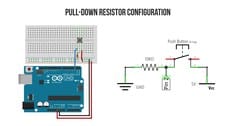
A button input needs a defined HIGH or LOW state. This map follows Arduino's Button example with a 10k pull-down resistor.
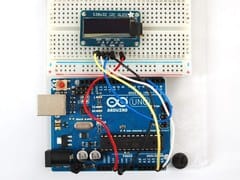
Most small I2C OLED displays use four wires: power, ground, SDA, and SCL. On an Uno, SDA is A4 and SCL is A5.
Project links
Open the reference that matches your project route.
Survey and feedback
Have an idea for what MakerAccess should stock, improve, or explain next? Share it in the survey. If you bought or used a product and want to comment on the item itself, use the product feedback form.
Do the surveyProduct feedback form

