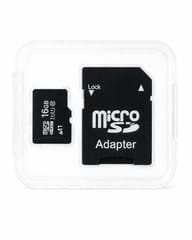
16GB Micro-SD Memory Card
By Admin, 05/07/2026 · 1 min read
Item guide
16GB Micro-SD Memory Card
This article explains how to use 16GB Micro-SD Memory Card in a MakerAccess project, with the key concepts, build route, and useful reference links.
Purpose
What it is for
Concepts
Build path
How to use it
Start small, test the fit or circuit, then combine it with the rest of the project.
Slice the model in Bambu Studio using the Bambu P1S printer profile.
Export the plate or all sliced files to the microSD card.
Safely eject the card, insert it into the microSD slot on the P1S, then choose the file from the printer screen.
Project links
Useful links
Open the reference that matches your project route.
Bambu Studio: export sliced file to SD card
Bambu Lab: microSD card FAQ
Survey and feedback
Help improve MakerAccess
Have an idea for what MakerAccess should stock, improve, or explain next? Share it in the survey. If you bought or used a product and want to comment on the item itself, use the product feedback form.
Do the surveyProduct feedback form