Bambu AMS
Filament cannot reach the toolhead
Follow the filament path from the active spool to the extruder. Stop when the first restricted section is found.
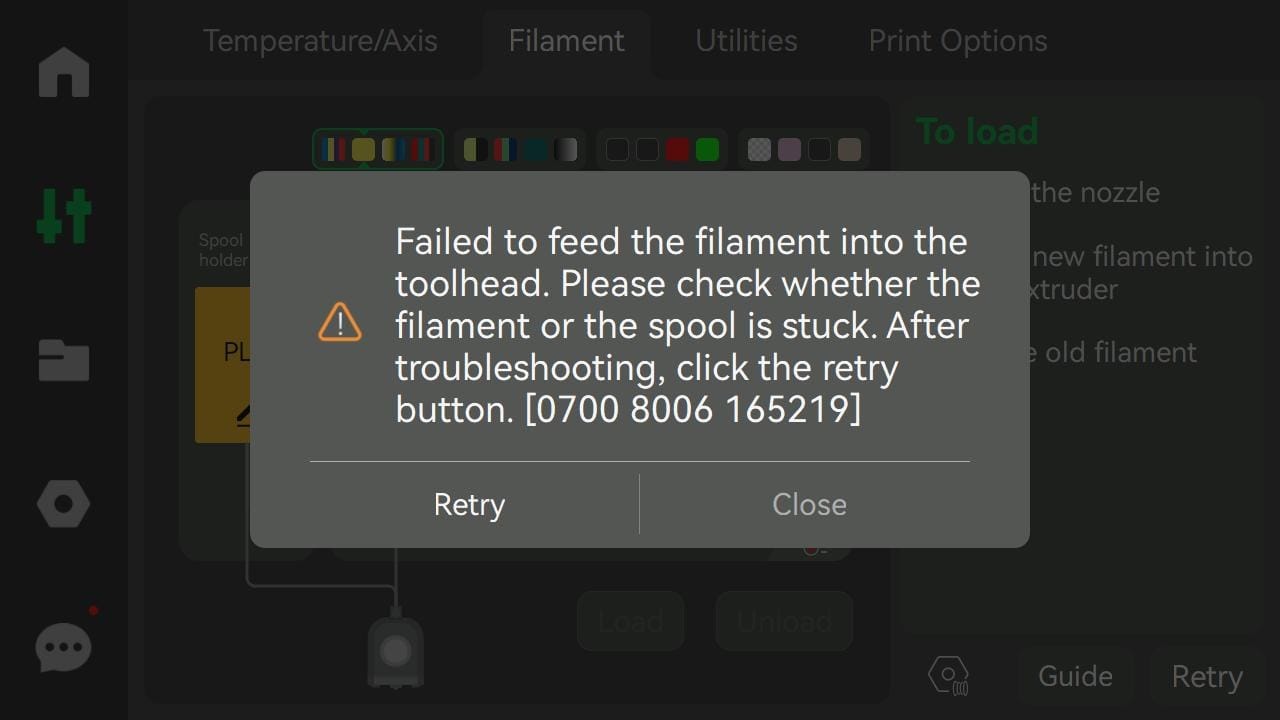
Step 11. Confirm the feed error
Use this guide when the screen says that filament could not be fed into the toolhead. Note the active AMS slot before checking the path.
- The example screen shows code 0700 8006 165219; firmware and slot-specific variants can differ.
- Stop repeated retries if the feeder clicks, the spool strains or filament remains under tension.
- If the message is about retraction rather than feeding, use the retraction guide instead.
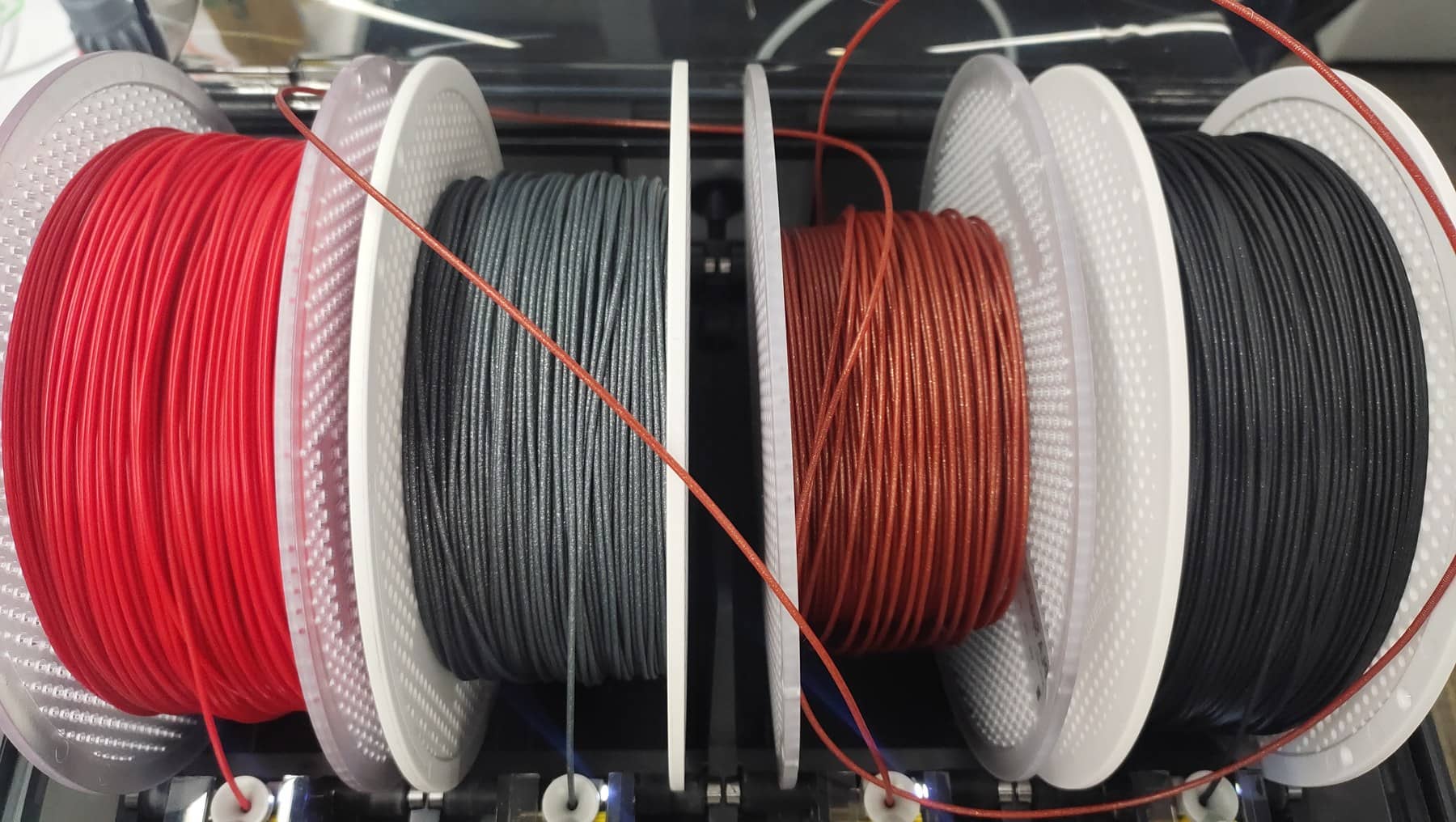
Step 22. Remove spool resistance
Untangle crossed winding and make sure both spool rims sit on the AMS rollers without rubbing the lid or divider.
- Keep control of the loose end while removing a cross-over so it cannot spring under another winding.
- Replace a damaged spool or transfer the filament if its rim cannot roll smoothly.
- Cut off a bent or swollen filament tip before loading again.
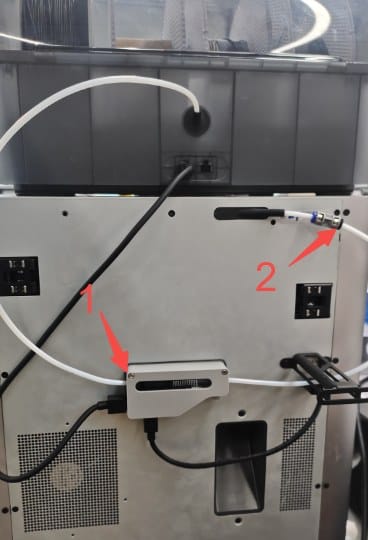
Step 33. Test the external PTFE path
Check the tube from the AMS outlet through the buffer and into the printer. Filament should pass through each released section without catching.
- Power off before separating PTFE connectors, then release one joint at a time.
- Push a straight piece of filament through the released section by hand to locate the exact restriction.
- Replace a crushed or deeply scored tube and reconnect every tube fully with broad bends.
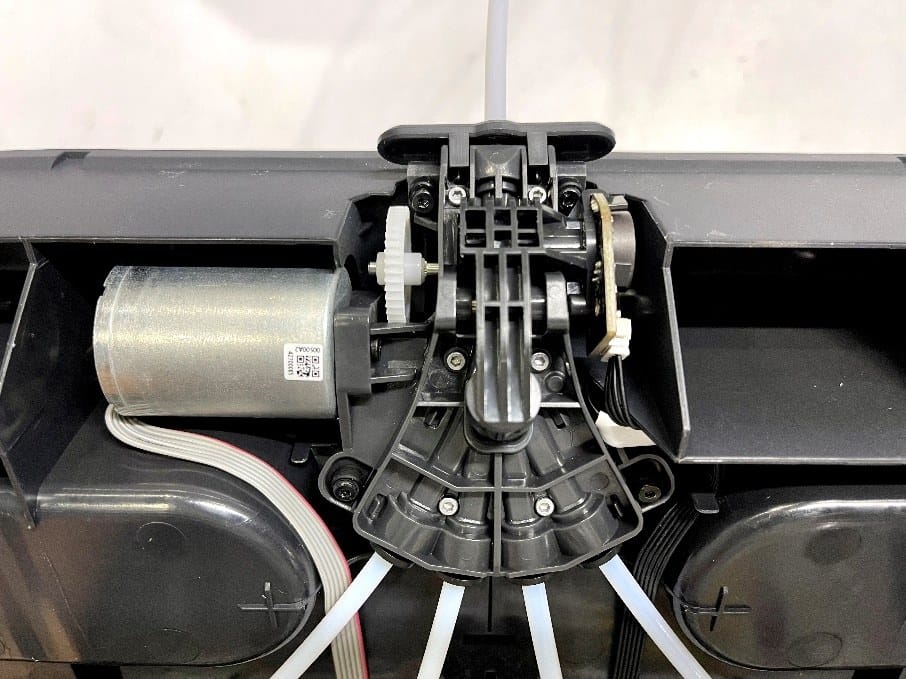
Step 44. Inspect the AMS hub
If the external path is clear, inspect the selected feeder tube and the central internal hub for a short broken fragment or filament dust.
- Power off before lifting the AMS insert; do not pull it against its wiring.
- Check the active slot first, then the point where all four internal tubes meet.
- Remove loose fragments and dust, then fully reseat the internal PTFE tubes before closing the AMS.
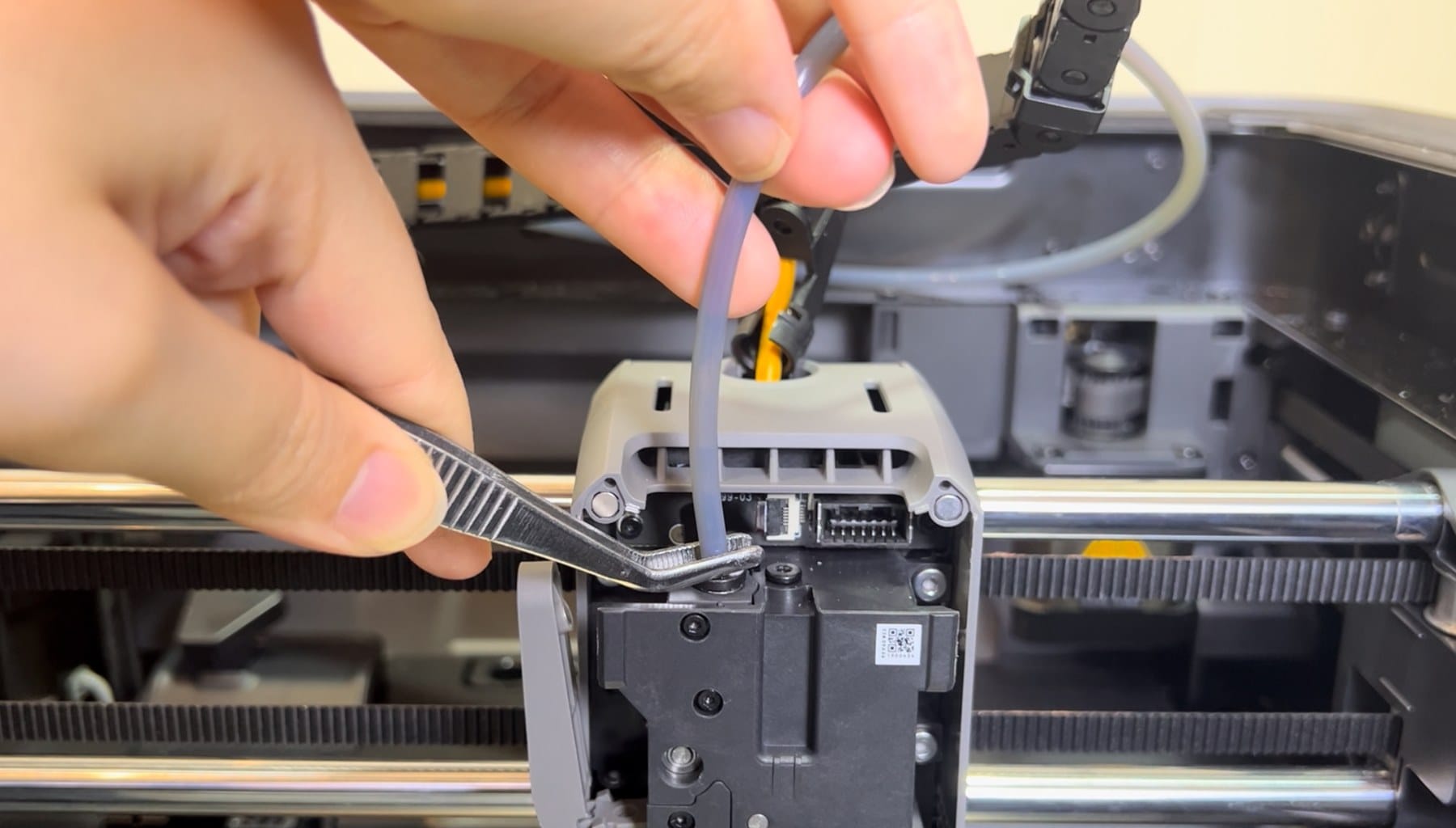
Step 55. Check the toolhead entrance
Inspect the short passage below the toolhead PTFE connector and the extruder sensor area when filament reaches the printer but is not detected.
- Power off before removing the toolhead cover or PTFE tube.
- Remove a loose broken fragment without pushing it farther into the extruder.
- If the path is clear but the sensor does not change state, use Bambu's filament-sensor test or contact support.
Retest
Reconnect the complete path
Apply power only after the AMS insert, covers and every PTFE connector are back in place.
A successful test
The spool turns freely and the feeder moves filament without clicking.
Filament travels through the buffer and reaches the toolhead without slowing at a connector.
The printer detects filament and completes Load without repeating the message.
If the clear path still fails, save the full code and printer logs for Bambu Support.
Sources
References
The diagnostic order follows Bambu Lab's AMS feed-path and sensor documentation.