Bambu AMS
Loading and removing filament
A practical sequence for installing a spool, confirming its slot and removing it without fighting the feeder.
Before loading
Check the spool
Use dry, untangled filament and a spool that rolls smoothly on both AMS rollers.
Avoid feeder problems
Do not use a spool that catches the lid, has damaged edges or cannot turn freely.
Keep the filament end controlled so it cannot spring under another winding.
Flexible or unsupported materials can buckle in the AMS; check Bambu's compatibility guidance before loading them.
Step 11. Insert filament into the feeder
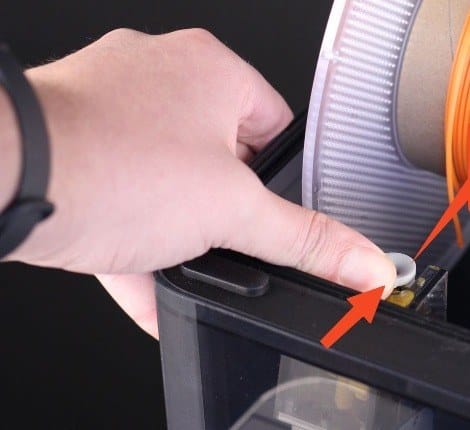
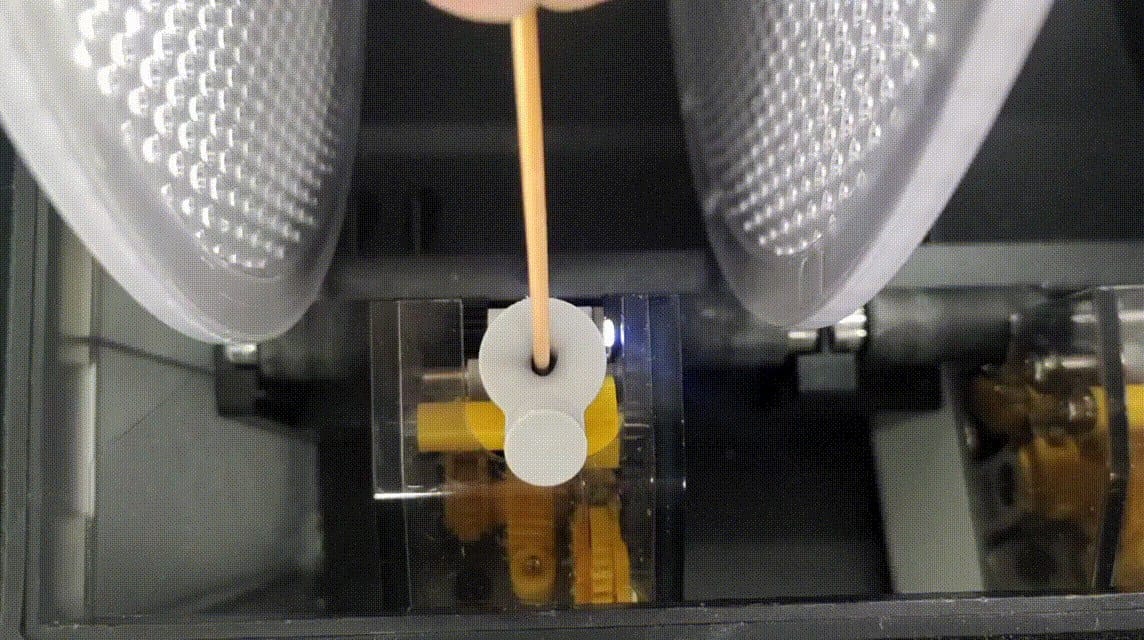
Place the spool on both rollers, press the grey feeder funnel toward the spool and guide a straight filament end into the round inlet until the motor takes it.
- Confirm that the spool rests on the front and rear rollers and turns without touching the lid or divider.
- Keep control of the loose end so it does not slip underneath another winding.
- Cut away a bent or swollen tip. Insert the filament only through the round inlet beside that spool.
Step 22. Load the selected AMS slot
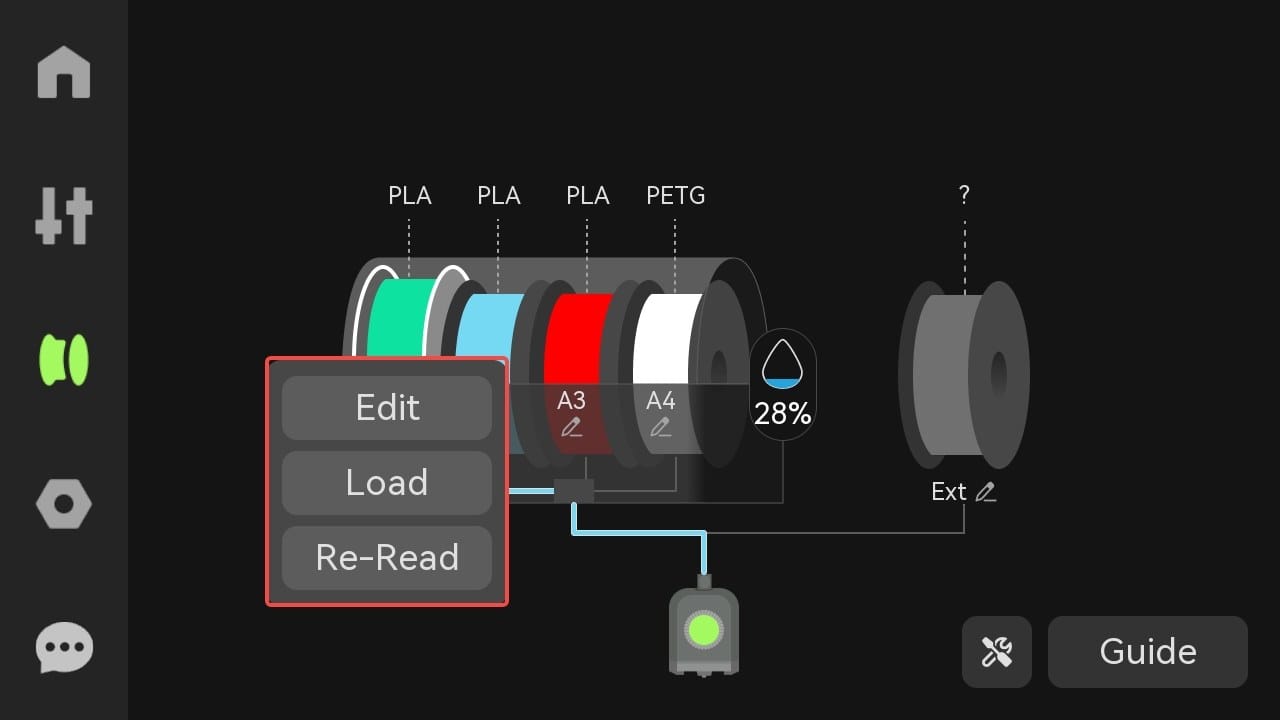
On the printer's AMS screen, select the spool position and choose Load. The printer heats the nozzle and completes the feed into the toolhead.
- Select the same slot that contains the spool; the highlighted spool and material label identify the active slot.
- Choose Load and let the automatic sequence finish. Do not pull or push the filament while the AMS motor is moving.
- Check the material type and colour, then map the same slot in Bambu Studio before slicing.
Step 33. Unload the selected AMS slot
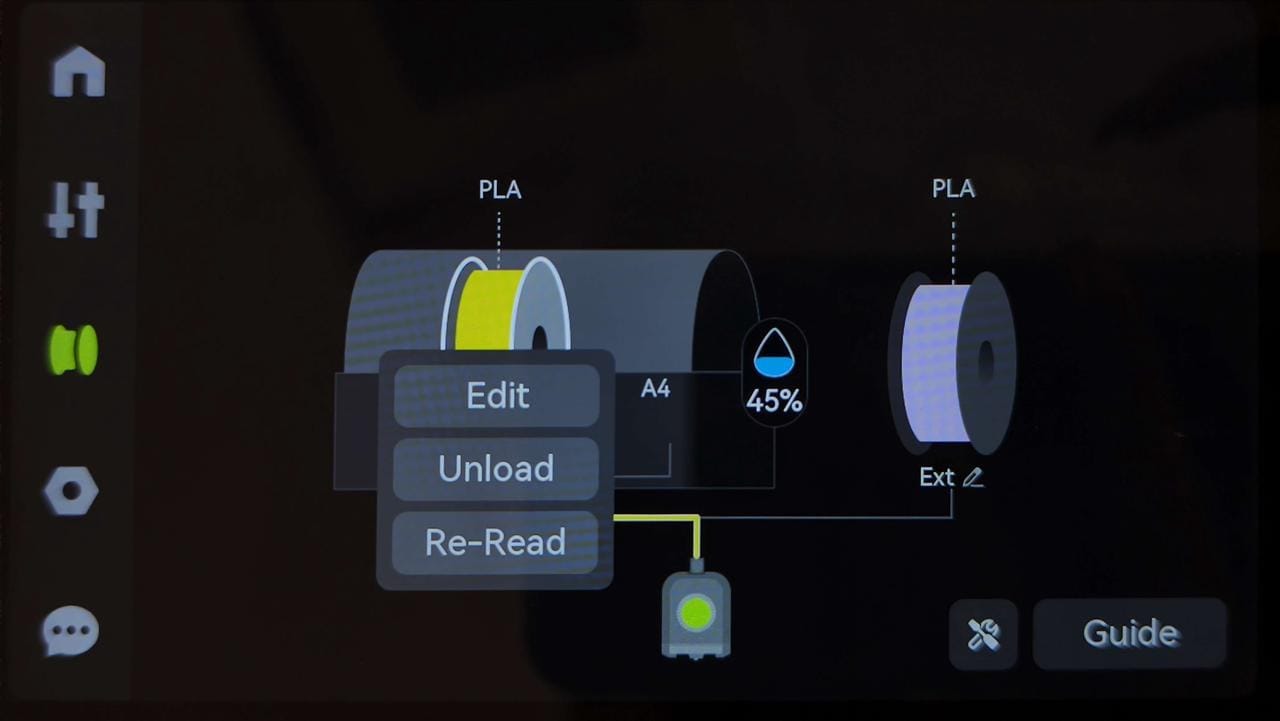
Select the installed spool position and choose Unload. Wait while the printer cuts the filament and the AMS rewinds it.
- Select the slot to be removed and choose Unload, not Load or Re-Read.
- Do not pull the spool while the motor is retracting filament.
- Wait until the spool stops rewinding and the filament tail is visible at the feeder.
Step 44. Release the filament and lift the spool
When rewinding has stopped, press the grey feeder funnel and withdraw the short tail. Secure the tail before lifting the spool from the AMS.
- Press the grey feeder funnel toward the spool to release its grip on the filament.
- Withdraw the short tail gently. If it will not move, stop and check that Unload finished successfully.
- Secure the tail in a spool hole or filament clip, then lift the spool straight out.
After loading
Confirm the slot
The slot shown in Bambu Studio must match the material actually installed before slicing.
Ready to print
The feeder LED is normal and the spool is not tangled.
Material type and colour are correct in the AMS panel.
The model is mapped to the intended slot before slicing.
Sources
References
These procedures are based on Bambu Lab's AMS operating and troubleshooting documentation.