Bambu Studio Settings That Matter Most
By Admin, 16/07/2026 · 3 min read
Bambu Studio
Bambu Studio Settings That Matter Most
Set the printer, plate and filament first. Then adjust only the settings that solve a clear quality, strength or printability need.
A useful starting point
Quality tab
Layer height
Layer height controls the thickness of each printed layer. Smaller layers resolve slopes and fine details more smoothly but increase the number of layers and usually the print time.
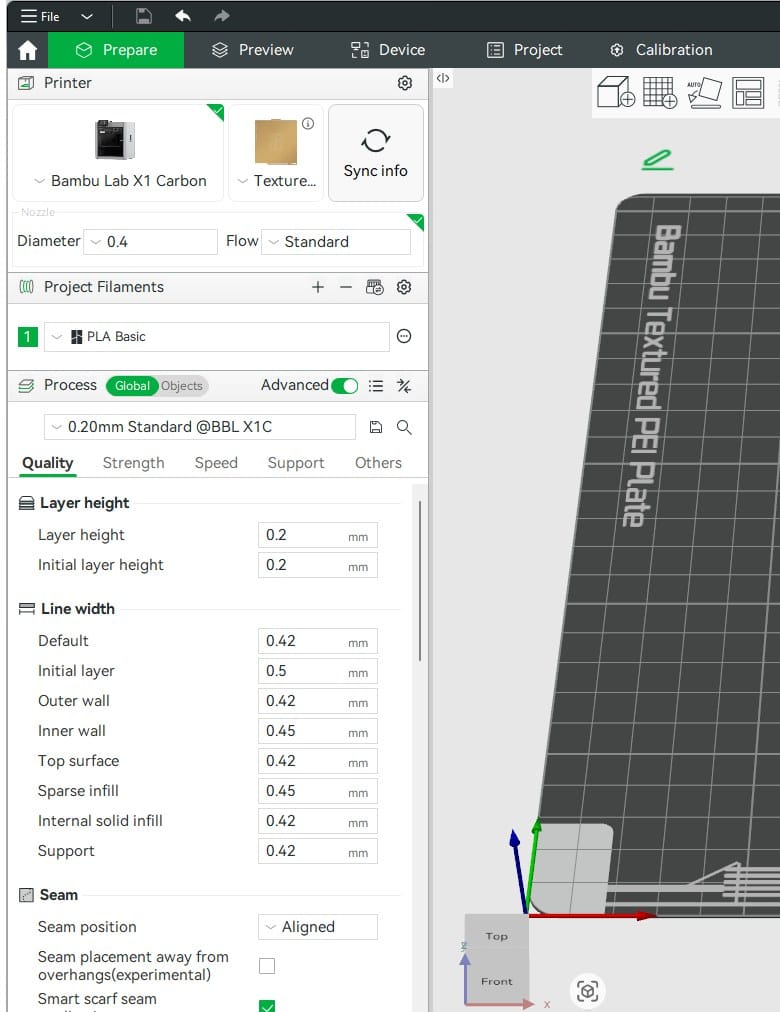
- Use the standard 0.20 mm profile for most first prints with a 0.4 mm nozzle.
- Choose a finer profile when curved surfaces or small vertical details matter.
- Use a coarser compatible profile for quick prototypes where surface detail is less important.
- Keep the first-layer value from the tested printer profile unless a specific adhesion problem has been diagnosed.
Strength tab
Walls, top shells and infill
Walls form the outside structure. Infill supports internal regions and top surfaces. For many functional parts, adding walls and orienting the load well improves useful strength more efficiently than filling the entire interior.
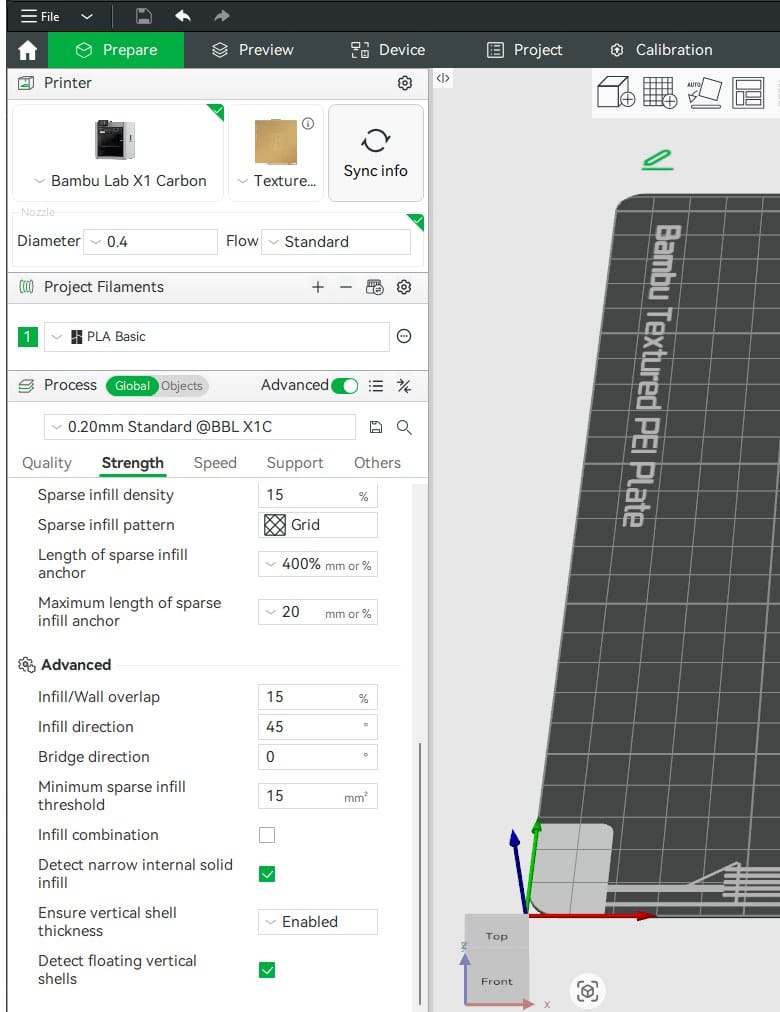
- Two wall loops suit visual models; three is a sensible starting point for general functional parts; heavily loaded parts need testing and may need four or more.
- Use roughly 10-15% infill for light visual parts and 15-25% for many everyday functional parts. Increase it only when the load case or top-surface support requires it.
- Gyroid or cubic-style patterns distribute support in several directions. Rectilinear patterns print quickly when directional behaviour is acceptable.
- Top and bottom shells must be thick enough to close over the infill. Inspect the sliced top layers instead of relying only on the layer count.
Support tab
Supports and overhangs
Supports provide temporary material beneath regions that cannot be printed reliably in open air. They improve printability but add time, waste and contact marks.
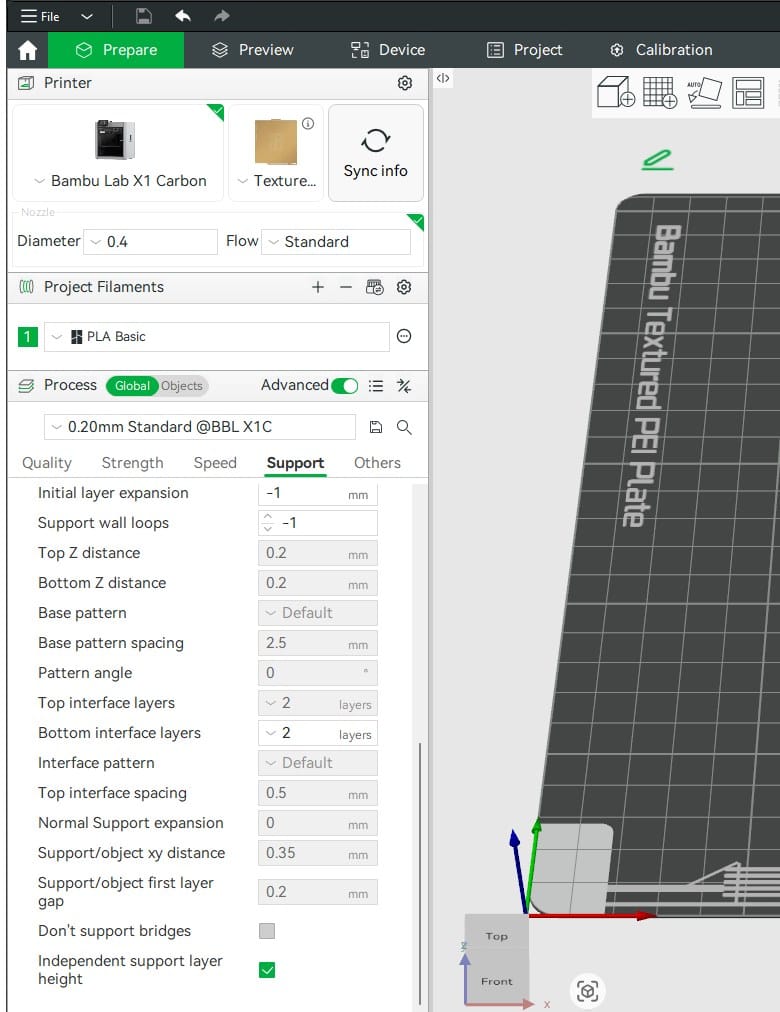
- Rotate the model first. A better orientation can remove supports and strengthen the part along its load direction.
- Tree supports suit many organic shapes; normal supports can be more predictable beneath broad, flat overhangs.
- Use On build plate only when every unsupported region can be reached from the plate. Always confirm this in Preview.
- Do not reduce support gaps only to improve the underside: supports that are too close can fuse to the part.
Others tab
Brim and bed adhesion
A brim adds lines around the first layer to increase the contact area. It is useful for narrow feet, tall parts and materials that tend to lift at the corners.
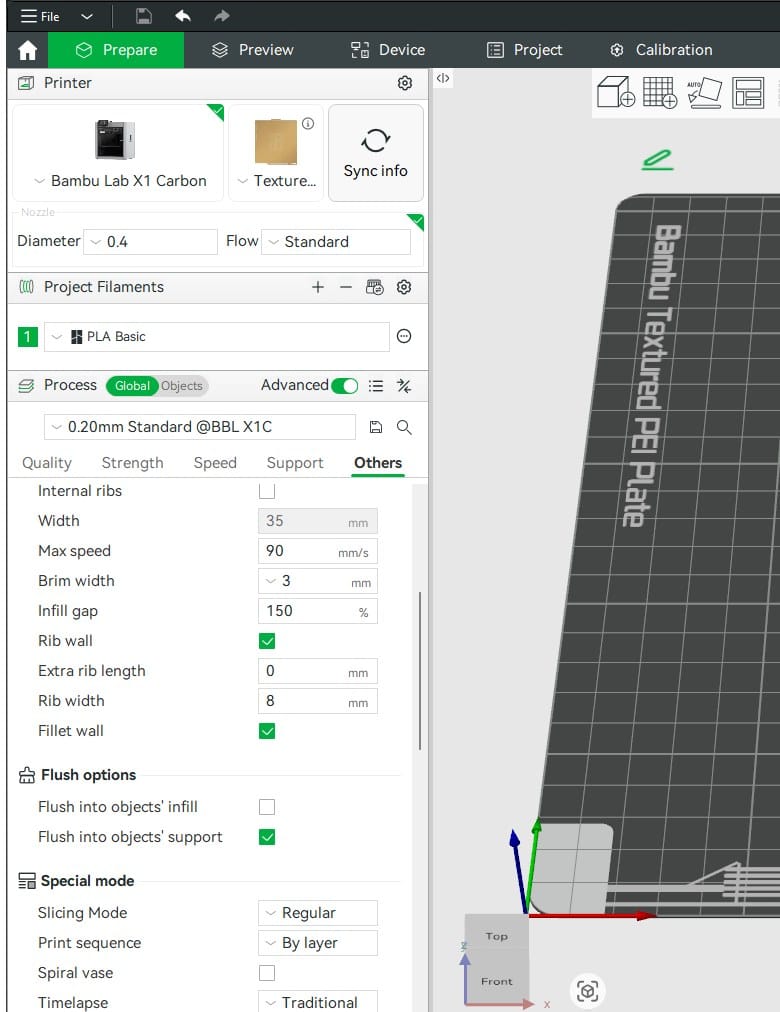
- Leave Auto enabled first and inspect the sliced first layer.
- Add or widen the brim when the contact area is small or corners lift despite a clean plate and correct temperature profile.
- A brim cannot correct an oily plate, debris beneath the plate or a badly chosen plate profile.
Final check
Read the sliced Preview
Preview is where settings become visible toolpaths. Check the first layer, unsupported islands, wall count, infill, support contact, colour changes and total material before printing.
Related articles

3D Printing Theory and Material Properties
Understand layers, stiffness, strength, toughness, heat resistance and slicer settings before building your next prototype.

Common 3D Printer Problems
A menu of common 3D printer problems, from power and extruder faults to filament, bed, temperature, motion, software and print-quality issues.

3D Printing on the Bambu Lab X1E
Use the X1E by matching the X1-series profile, secure network option, active chamber and filament before sending the job.