X1 Carbon
Clear a blocked nozzle
Confirm the symptom, try the simple cleaning-pin procedure, then verify that filament leaves the nozzle in a steady downward strand.
Safety
The hotend can cause burns. Use heat-resistant gloves and keep hands away from moving parts.
Do not use the supplied cleaning pin on a 0.2 mm nozzle.
Stop if the pin requires force or the simple procedure does not restore flow; the hotend may need removal or replacement.
Step 11. Confirm the extrusion error
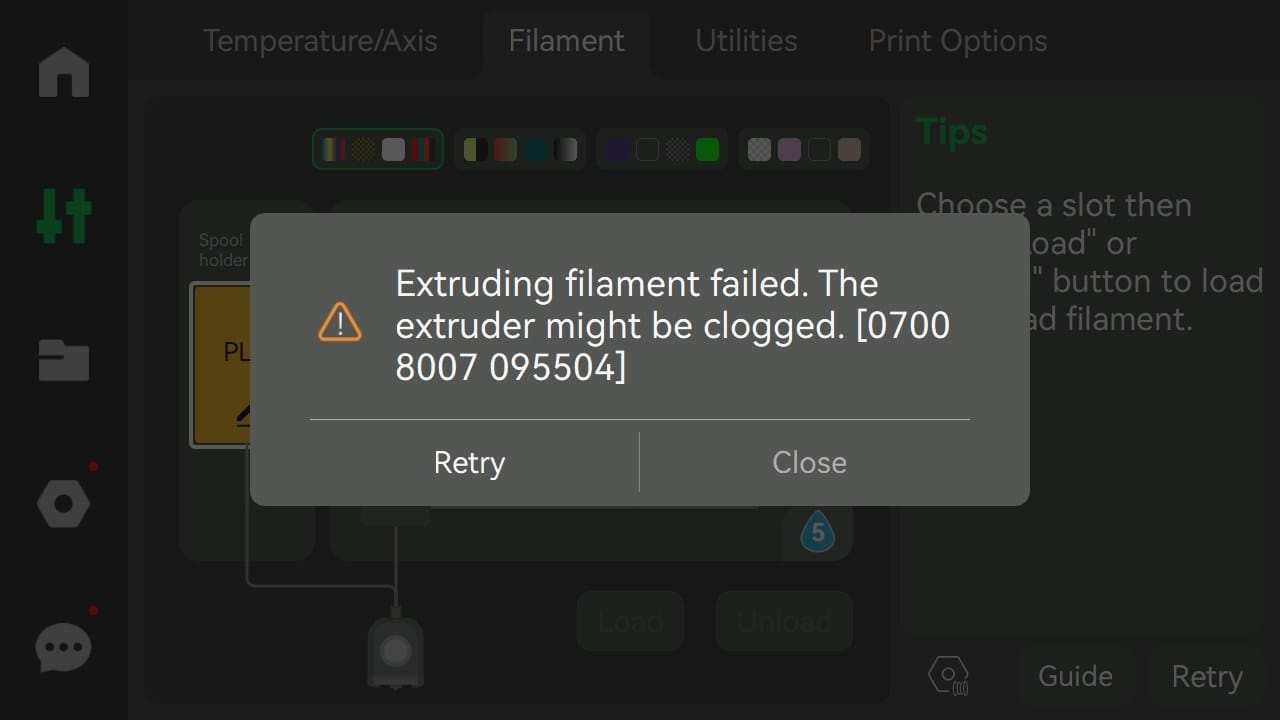
Use this guide when the printer reports that extrusion failed or when little or no filament leaves the nozzle during a normal load test.
- The example screen shows code 0700 8007 095504; record the complete code shown on your printer.
- First confirm that the spool and PTFE path can feed filament to the extruder.
- Stop if the extruder clicks repeatedly or filament is visibly swollen above the hotend.
Step 22. Check the print symptoms
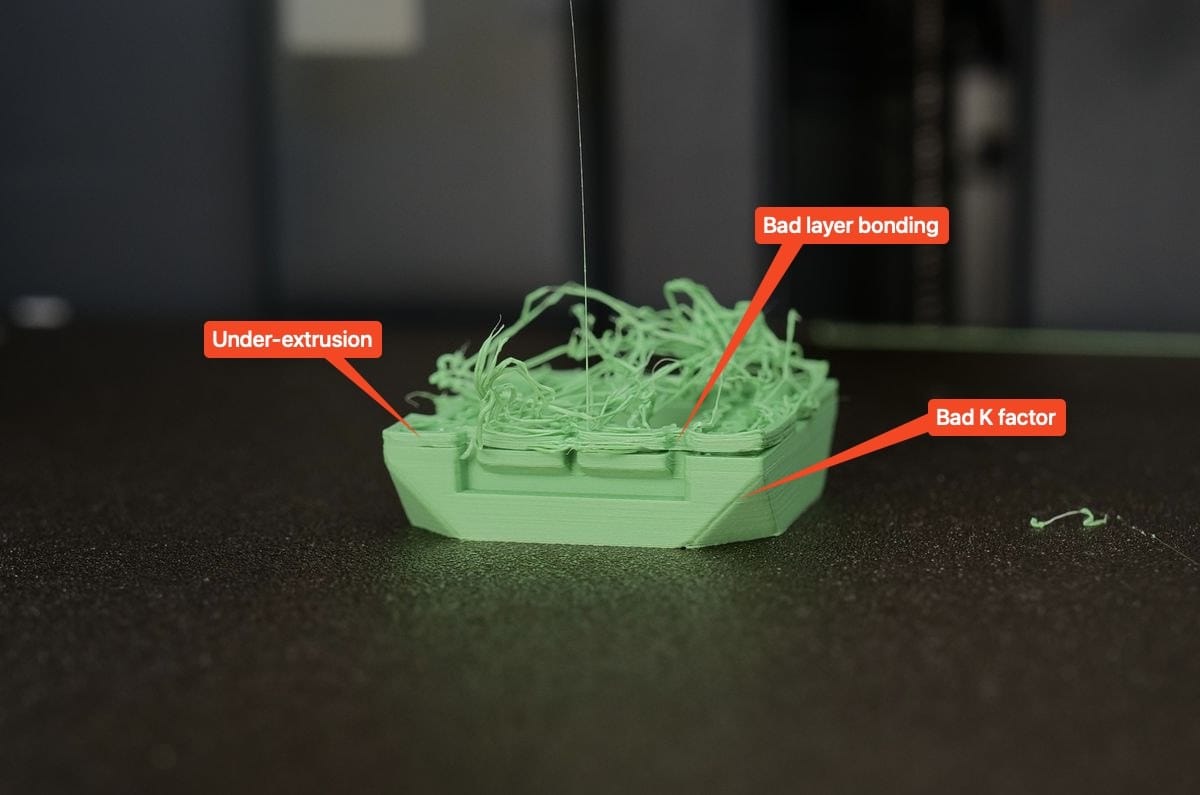
Missing lines, weak layer bonding and intermittent under-extrusion can indicate a partial clog rather than a complete blockage.
- A complete clog produces no flow; a partial clog produces thin, intermittent or curling flow.
- A dirty plate or first-layer setting can also cause print defects, so confirm material is actually leaving the nozzle.
- Remove loose plastic from around the cool nozzle before heating it.
Step 33. Heat the nozzle for a simple clearing test
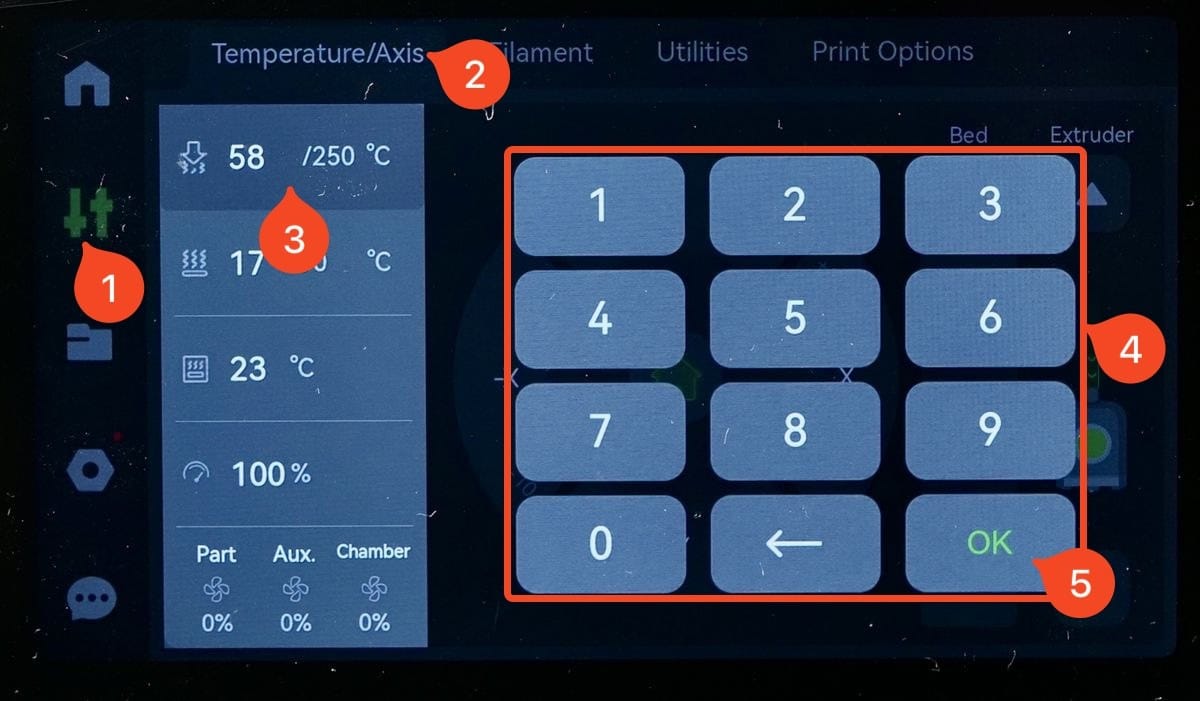
For Bambu's standard cleaning-pin procedure, lower the bed and set the nozzle to 250 C while keeping hands clear of the hotend.
- Use the printer controls to lower the bed and keep the toolhead accessible.
- The nozzle, silicone sock and surrounding metal become hot enough to burn skin.
- Keep the front cover clear of the work area and do not reach beneath a moving toolhead.
Step 44. Use the supplied cleaning pin
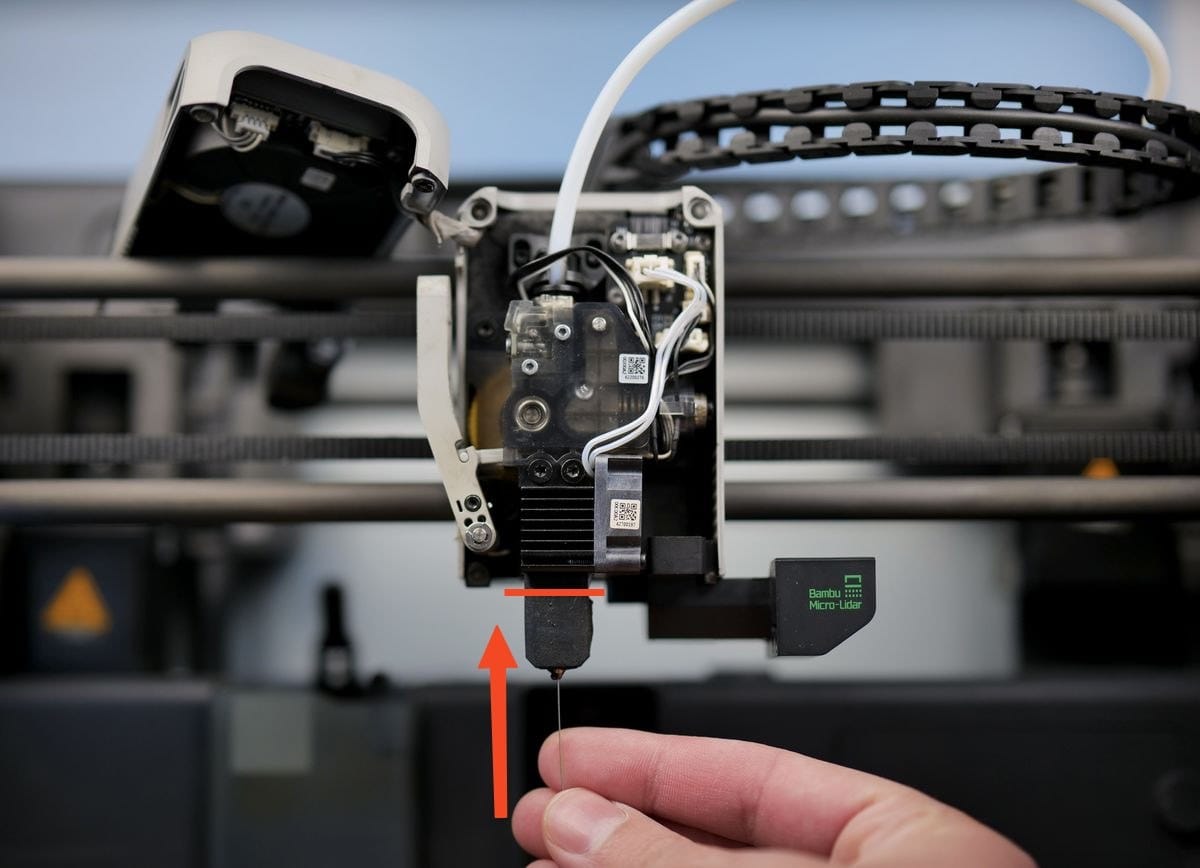
With heat-resistant gloves, insert the pin through the nozzle opening only as far as shown, then withdraw it. Do not use this pin on a 0.2 mm nozzle.
- Wear heat-resistant gloves and hold the pin with a suitable tool.
- Move the pin gently; forcing it can damage the nozzle or push debris farther into the melt path.
- Skip this step for a 0.2 mm nozzle because the supplied pin is too large.
Step 55. Confirm a clean flow
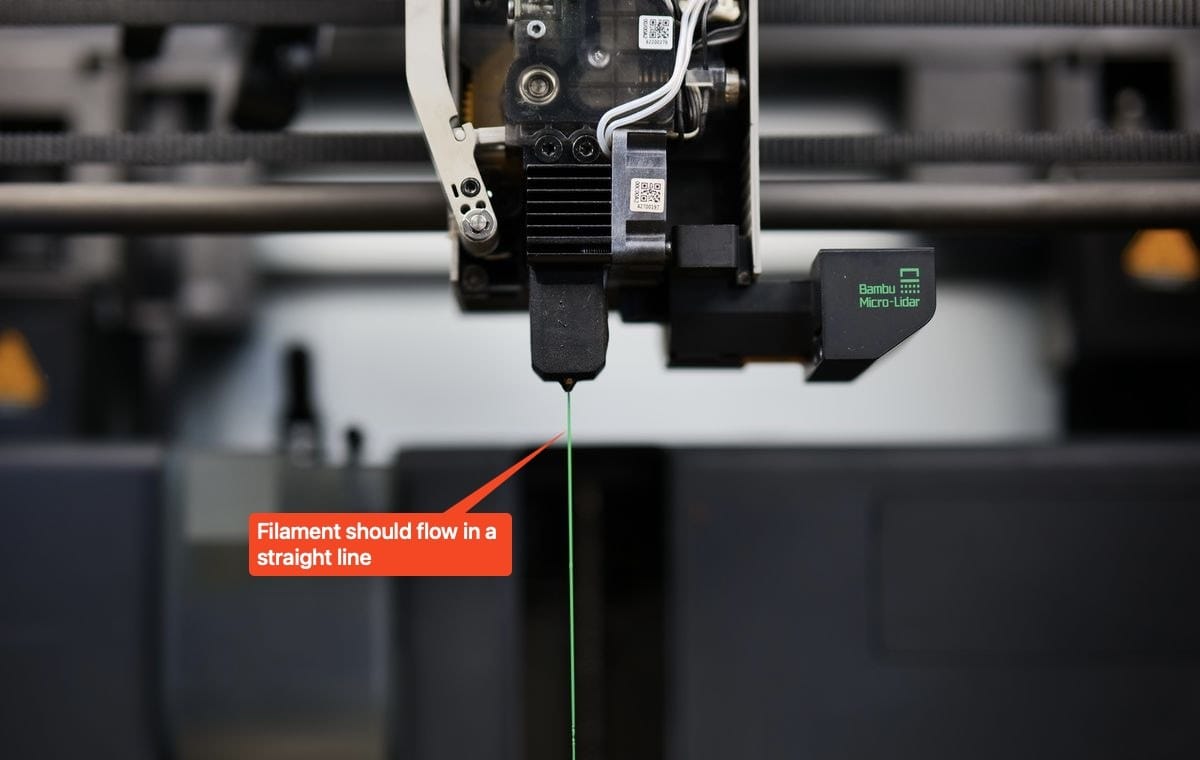
Run a manual extrusion test. A cleared nozzle produces a steady strand that travels downward instead of curling back onto the nozzle.
- Extrude a small amount of the loaded material and watch the direction and consistency of the strand.
- Clean away the test strand after the nozzle cools enough to handle safely.
- If flow remains blocked or irregular, stop and follow Bambu's full hotend procedure or contact support.
Sources
References
Temperatures, tool limits and service boundaries follow Bambu Lab's X1/P1 hotend documentation.