Static Stress Analysis in Fusion
By Admin, 16/07/2026 · 3 min read
Fusion simulation
Static Stress Analysis in Fusion
Set up and check a linear static stress study using a loaded cantilever bracket as the worked example.
Study
Understanding static stress
Static stress analysis shows how a part responds to a steady load. It estimates where the part is highly stressed, how much it moves and whether the material may begin to deform permanently. This type of study is suitable when the load changes slowly, deformation remains small and the material stays within its elastic range.
Demo settings
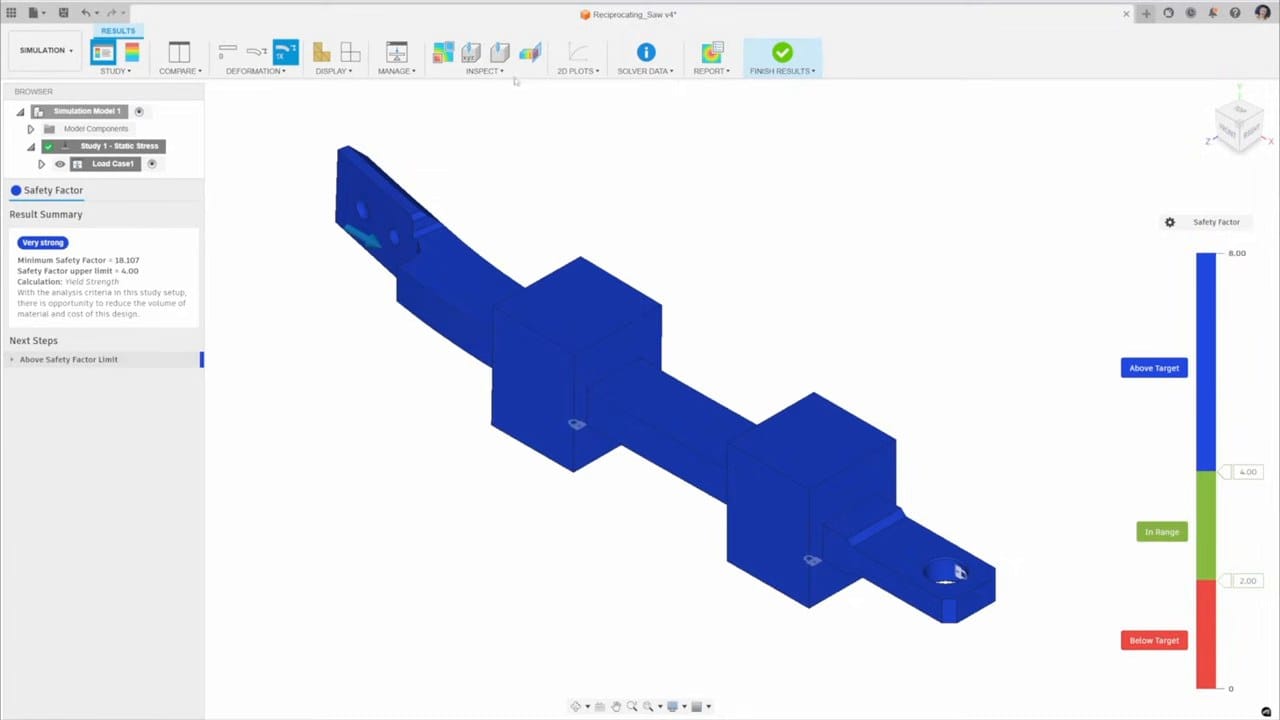
Tutorial
Fusion static stress steps
Open each image to view the actual Fusion controls at full size. The selected faces appear blue and the settings panel appears on the right.
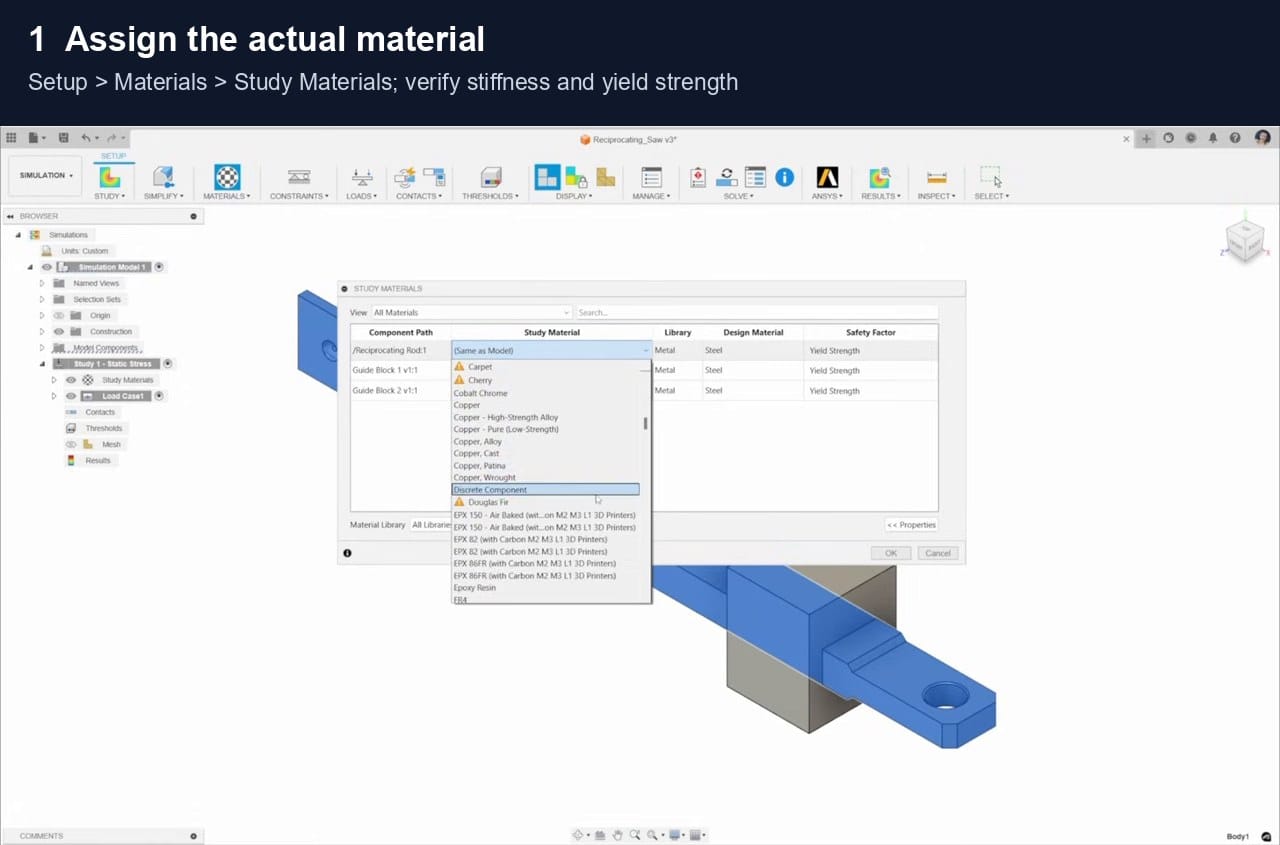
Open the model, change Design to Simulation, then choose New Study > Static Stress > Create Study. Young's modulus measures stiffness: a higher value means less elastic stretching under the same stress. Poisson's ratio describes how a material narrows sideways when stretched. Yield strength is the stress where permanent deformation begins. Verify all three in Setup > Materials > Study Materials.
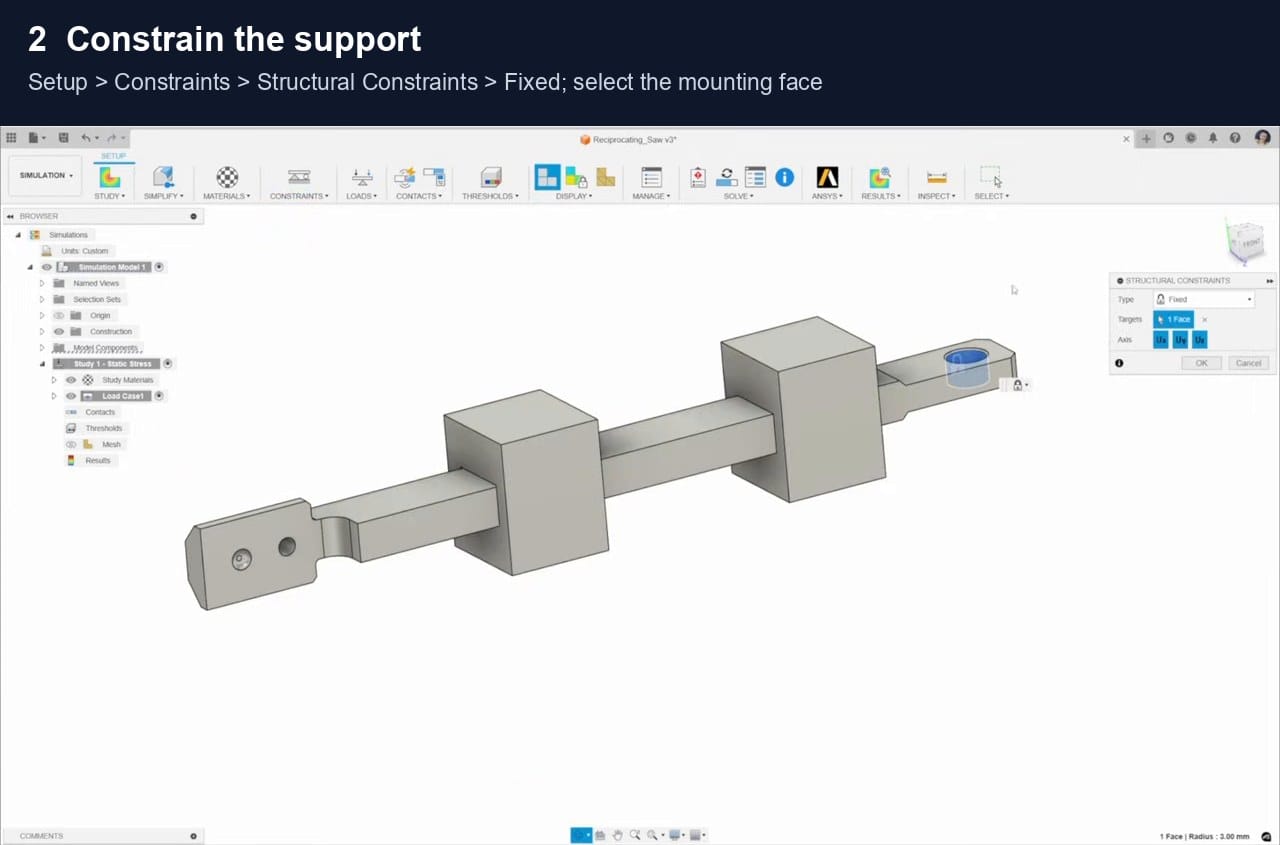
A constraint represents how the real part is supported. A Fixed constraint prevents movement in Ux, Uy and Uz, the three translation directions. Choose Setup > Constraints > Structural Constraints > Fixed and select the complete mounting face. Use this only when the real support is close to rigid; an unrealistic fixed face can make the model appear too stiff.
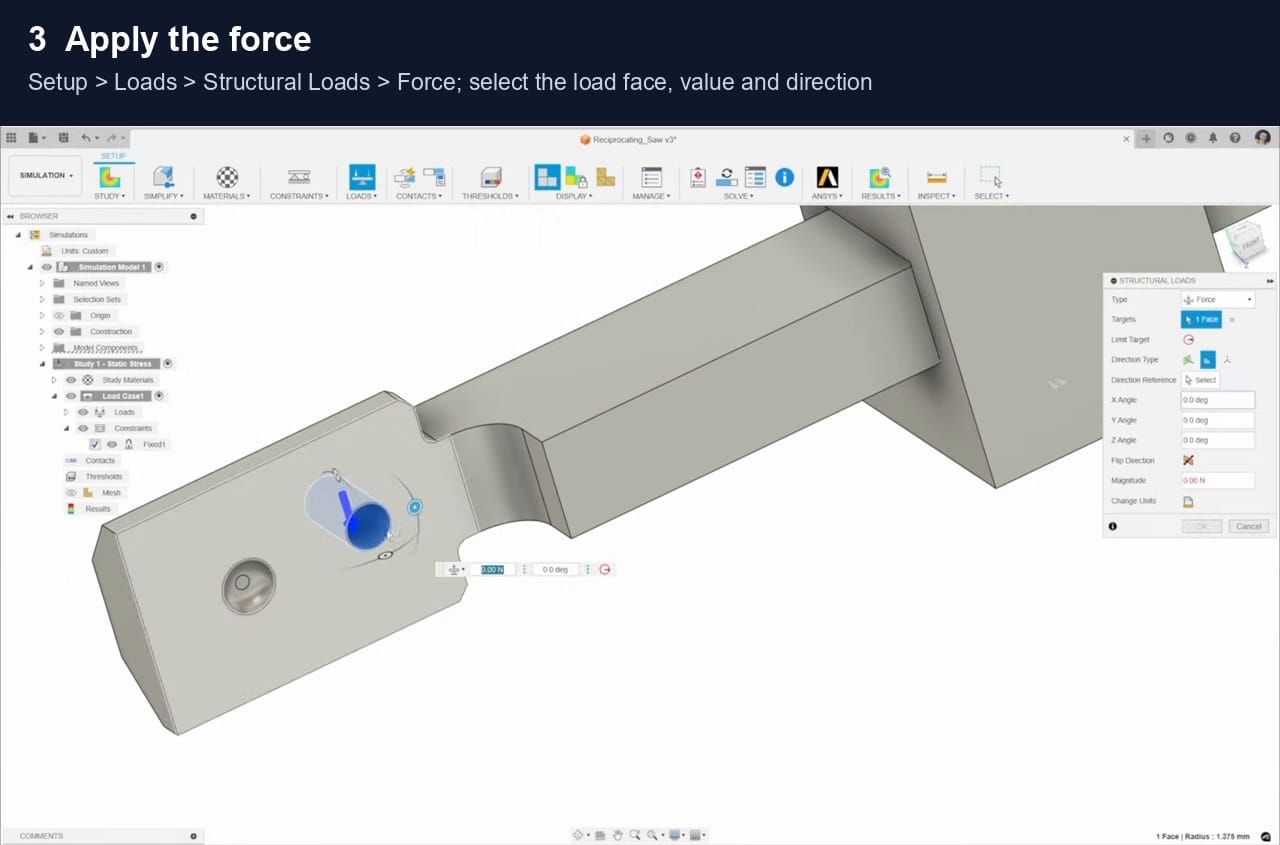
Force is measured in newtons; 500 N is approximately the weight force of a 51 kg mass under normal gravity. Vector components divide the force into global X, Y and Z directions. Select the real load face, enter 500 N in the downward axis, set the other components to zero and confirm the arrow points the correct way.
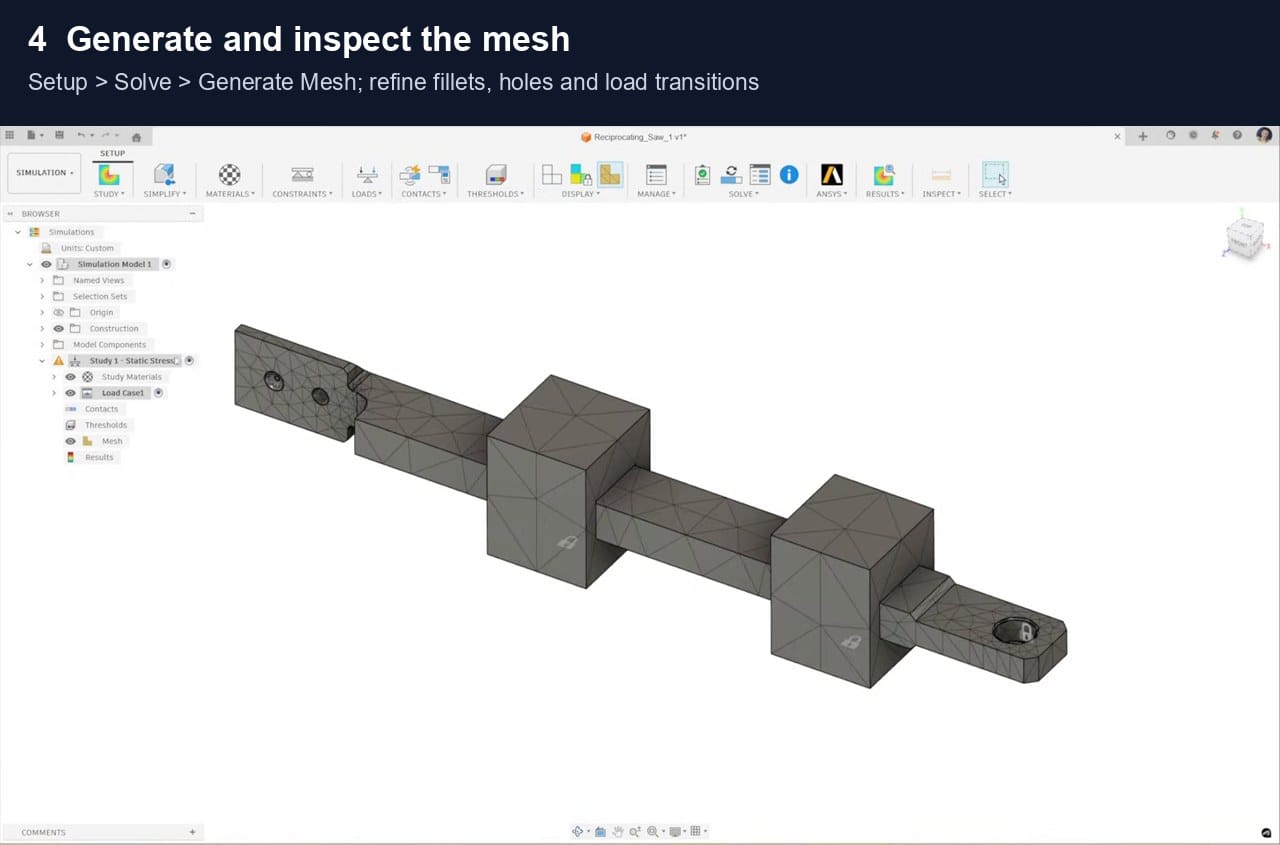
The mesh divides the model into small finite elements. Finer elements describe curved fillets, holes and rapidly changing stress more accurately, but increase solve time. Refine the root fillet and load transition, keep several elements through the thickness, and compare repeated solutions to check mesh convergence.
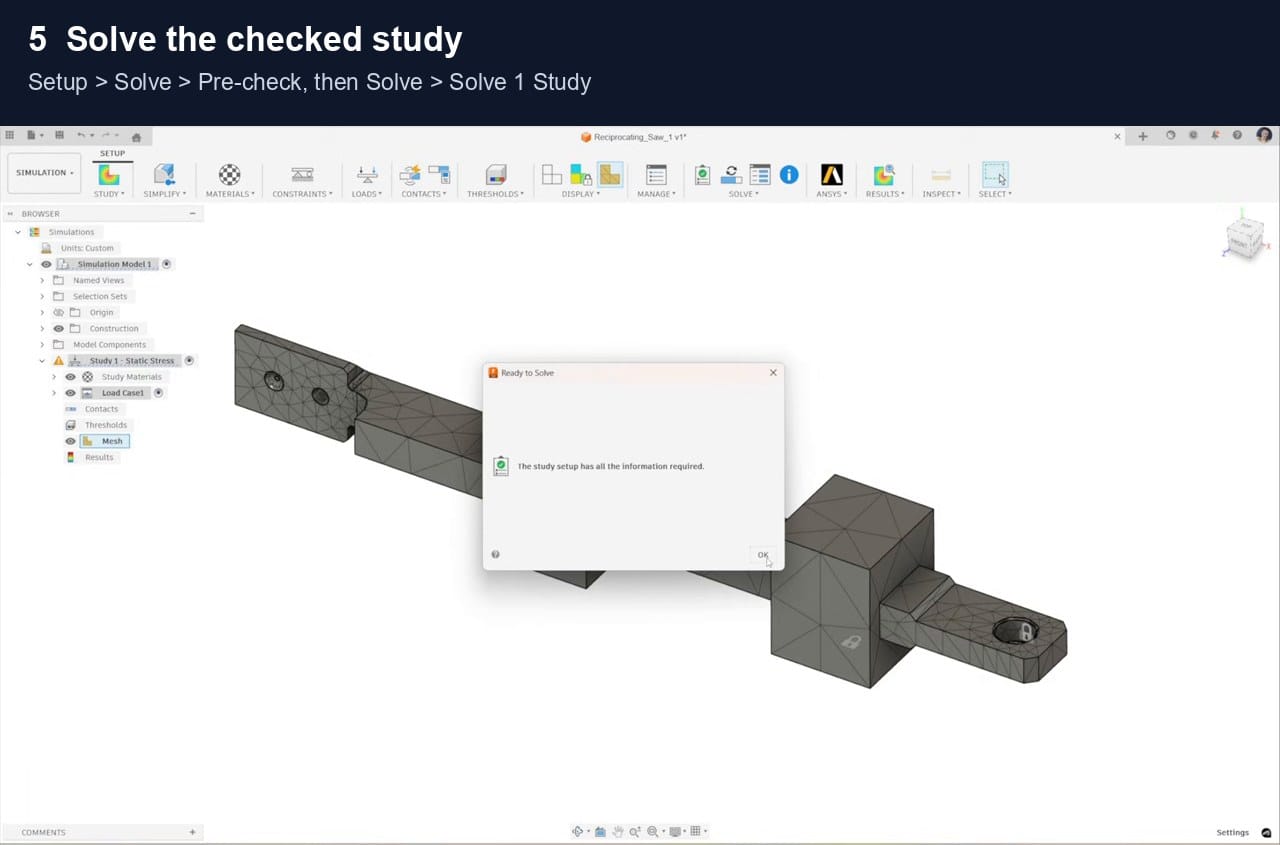
Static means the load is treated as steady rather than an impact or vibration. The linear study also assumes small deformation and that the material remains elastic. Resolve Pre-check errors, confirm the constraints stop rigid-body movement, inspect contacts, then choose Solve > Solve 1 Study.
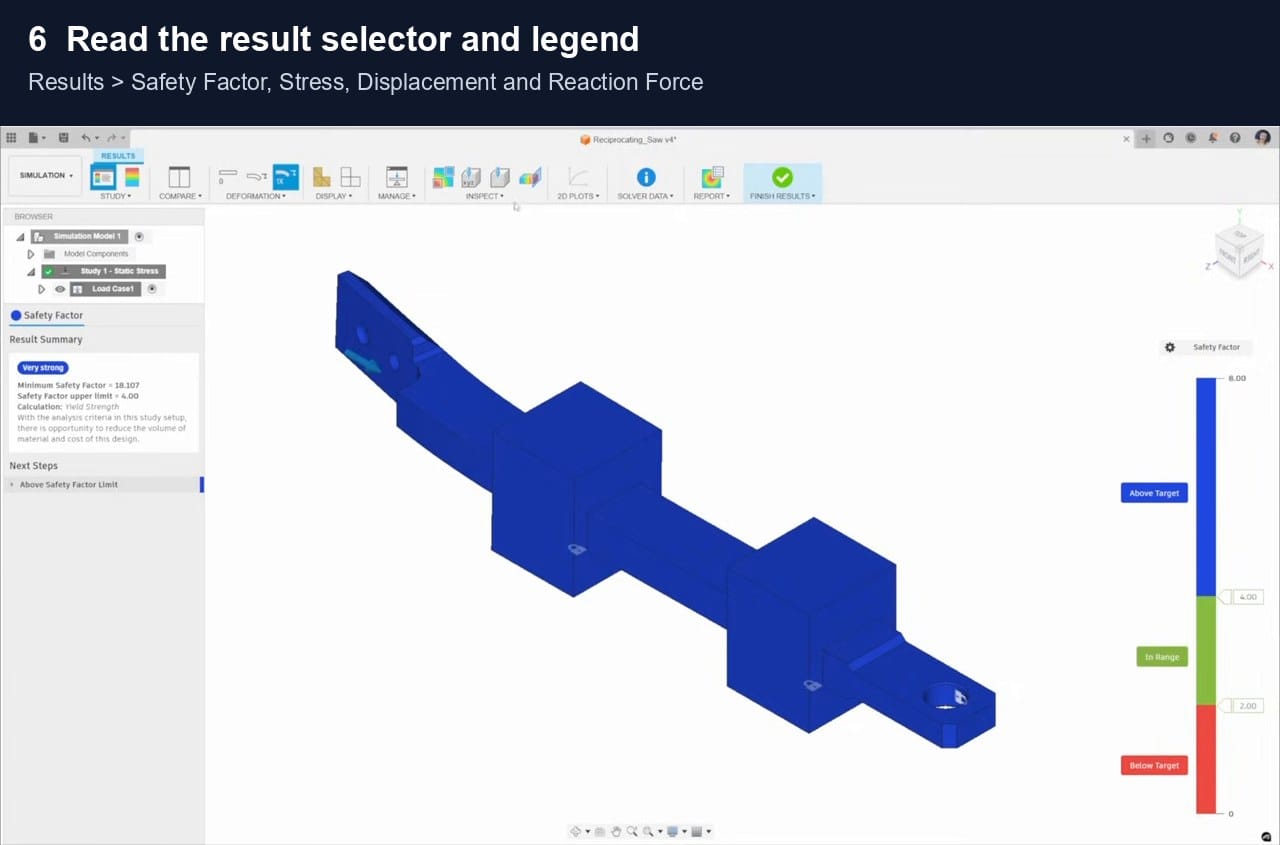
Von Mises stress combines the multiaxial stress state into one value that can be compared with yield strength for a ductile material. Safety factor is approximately yield strength divided by working stress; values near or below 1 indicate yielding in this idealised model. Displacement is movement, and reaction force is the support force balancing the applied load. Confirm the reaction opposes about 500 N and repeat with a finer mesh.
Checks
Before changing the design
Check the load path, units, material data, constraints, contacts and mesh convergence. Simulation supports a design decision; critical parts still need suitable physical testing and an appropriate safety basis.
Sources
References
The workflow and study limits are rephrased from Autodesk documentation.
Autodesk static stress assumptions
Autodesk result details
Autodesk static stress video
Learn it on video
Watch a stress study run end to end
Autodesk's walkthrough covers the same steps as this page. The Efficient Engineer series explains stress, failure theories and what the solver does with them.
Related articles

3D Printing Theory and Material Properties
Understand layers, stiffness, strength, toughness, heat resistance and slicer settings before building your next prototype.

Common 3D Printer Problems
A menu of common 3D printer problems, from power and extruder faults to filament, bed, temperature, motion, software and print-quality issues.

3D Printing on the Bambu Lab X1E
Use the X1E by matching the X1-series profile, secure network option, active chamber and filament before sending the job.