Group 1: compare your two ideas
Choose one difficulty to help with. Compare both ideas, make one useful change and explain a fair test. The model examples show design proposals, not equipment proven to work.
Idea 1: Foldable tray
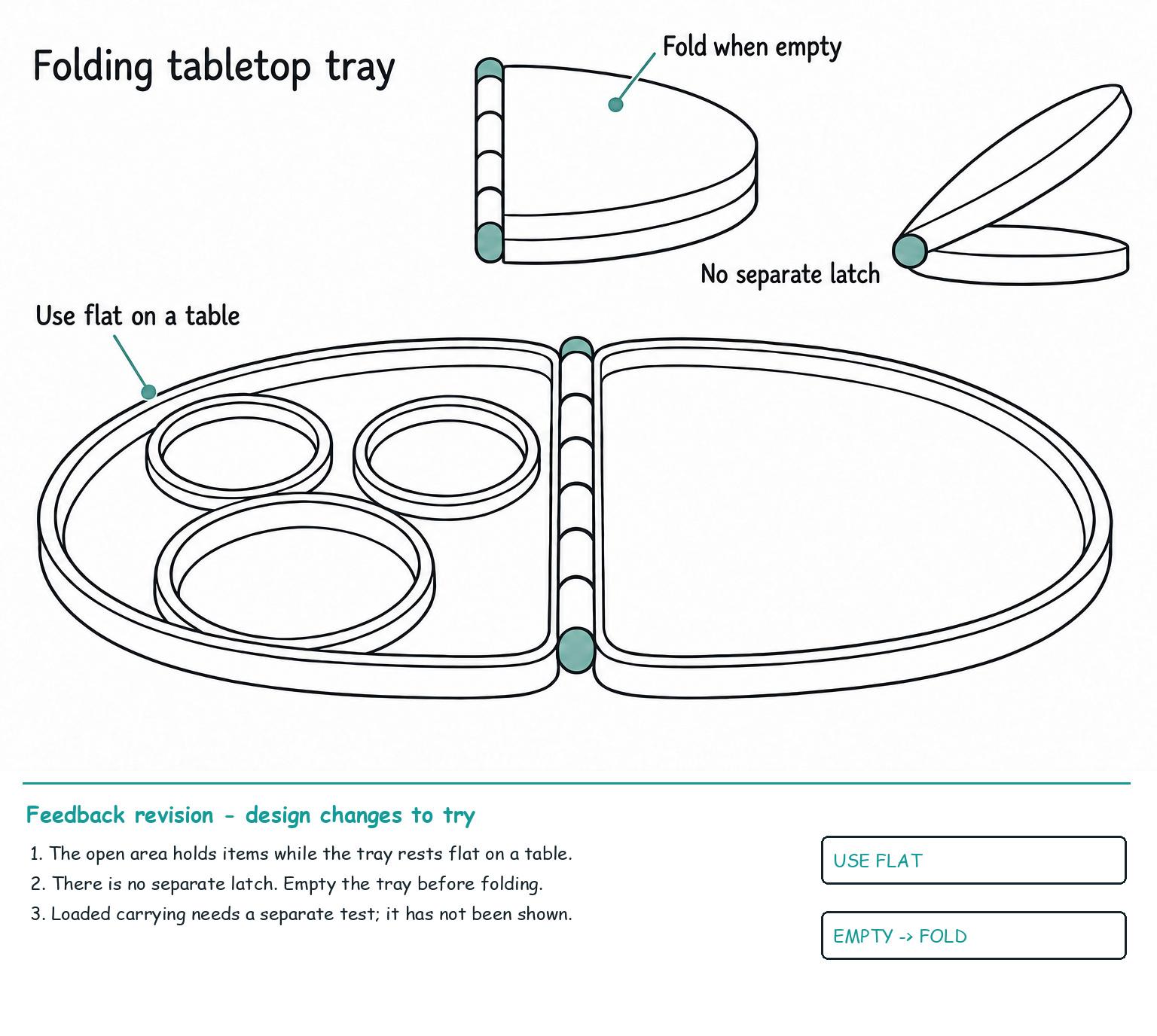
Who it could help: People using a tray
The problem
A tray needs the right support for carrying or table use.
Why it matters
Folding could save storage space, if the tray still does its main job well.
The idea
A tray that rests on a table and folds away when empty.
How it works
- Open the tray flat on a table.
- Put items in the three round spaces.
- Empty the tray before folding it.
What to find out
Will it be carried or stay on a table?
Check table support, hinge gaps and empty folding.
Feedback revision: changes to try
- The open area holds items while the tray rests flat on a table.
- There is no separate latch. Empty the tray before folding.
- Loaded carrying needs a separate test; it has not been shown.
Earlier drawing is preserved
Compare the revision with the original before building.
Open the earlier illustration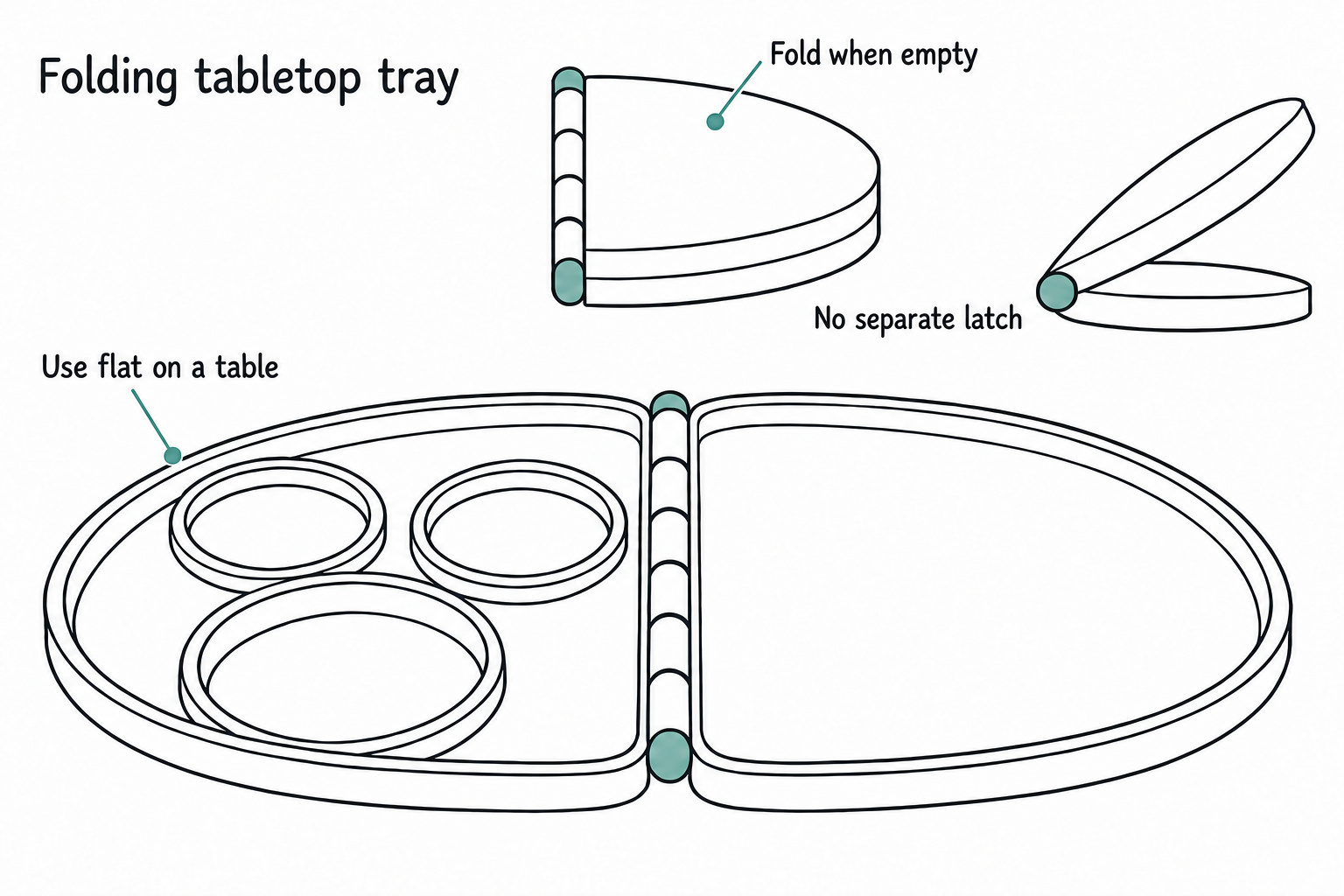
2D drawing and Tinkercad instructions
Read the current drawing, label one change, and keep the original. In your drawing workspace, use the illustration as a fixed reference and add editable marks over it. Save the draft, then submit the drawing separately from your written answers.
Build a 3D concept with your teacher
- Make a thin box for the tabletop tray and cylinders for the three spaces.
- Use cylinder holes for recesses, keeping an uncut supporting floor.
- Show the two halves and a hinge space separately; measure clearances before grouping.
Use your assigned Tinkercad workspace. Verify the group, idea and units before opening an existing project. Duplicate it before changing it. Measure supplied parts and ask your teacher to check fit before printing. These instructions do not edit or connect to Tinkercad.
The prompts below contain the public design description only. They are not sent anywhere by FIT. A teacher or adult conducts the ChatGPT conversation and reviews any generated drawing or instructions. Keep pupil details and private submissions out of the prompt.
2D drawing prompt
Tinkercad instructions prompt
Idea 2: Mobile bin and companion
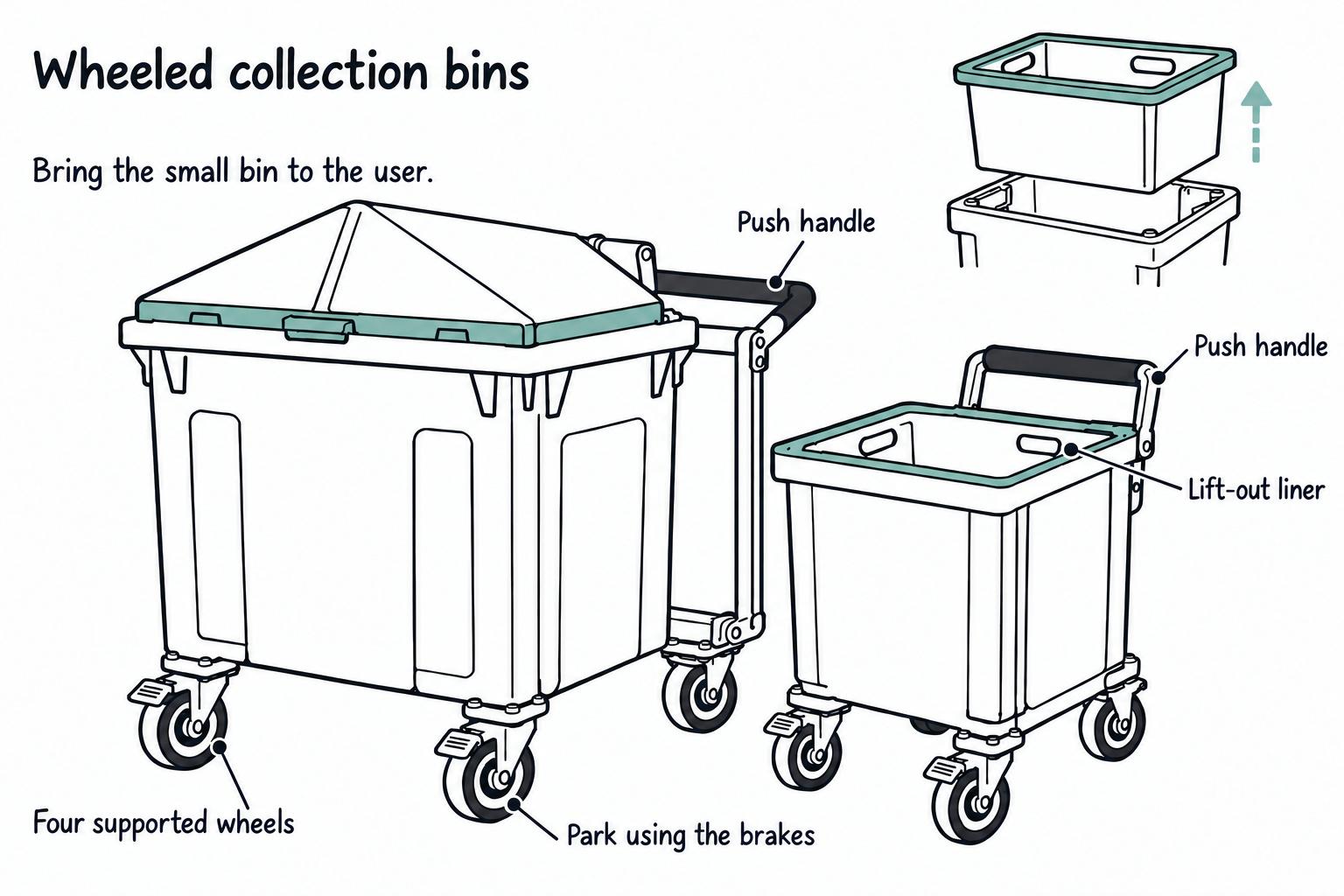
Who it could help: People collecting rubbish
The problem
Moving a full bin and emptying it can be difficult.
Why it matters
A movable bin should be easy to push, park and empty.
The idea
A large bin with a lid and a smaller open bin, each pushed by hand.
How it works
- Push each bin where it is needed.
- Use the brakes to park the large bin.
- Lift out the small bin's inner container.
What to find out
Where would the bins help, and how will people empty them?
Test pushing, brakes, handle reach and lifting out the container.
Earlier drawing is preserved
Compare the revision with the original before building.
Open the earlier illustration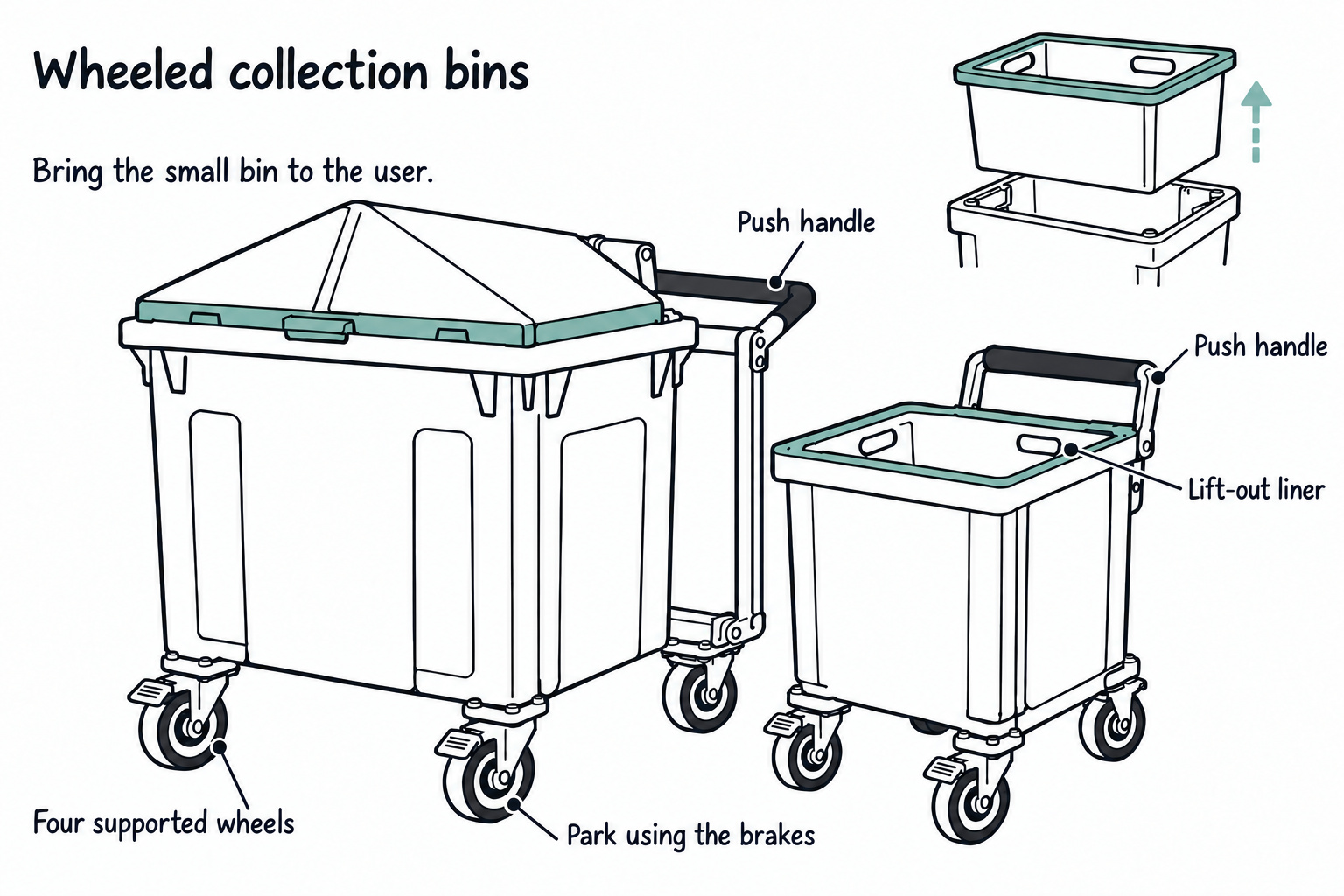
2D drawing and Tinkercad instructions
Read the current drawing, label one change, and keep the original. In your drawing workspace, use the illustration as a fixed reference and add editable marks over it. Save the draft, then submit the drawing separately from your written answers.
Build a 3D concept with your teacher
- Use boxes for the outer bin and removable inner container.
- Use cylinders for wheels and leave wheel clearance.
- Keep a brake as a labelled separate part; check removal space.
Use your assigned Tinkercad workspace. Verify the group, idea and units before opening an existing project. Duplicate it before changing it. Measure supplied parts and ask your teacher to check fit before printing. These instructions do not edit or connect to Tinkercad.
The prompts below contain the public design description only. They are not sent anywhere by FIT. A teacher or adult conducts the ChatGPT conversation and reviews any generated drawing or instructions. Keep pupil details and private submissions out of the prompt.
2D drawing prompt
Tinkercad instructions prompt
Your three activities
Activity 1
Improve the problem
Name a person, one difficult step and the evidence we need.
- Read the problem statement and the suggested wording.
- Ask someone what they would carry in the tray and where they would put it away.
- Choose one difficult step. Complete your own improved statement.
Check: Name who needs help, what is difficult and what you still need to test.
Activity 2
Make the idea work
Show a useful change and explain how the parts connect.
- Show the tray open and folded.
- Draw where you would add faces to stop it opening too far.
- Decide whether it needs a latch and show how it would open.
Check: The drawing shows an input, movement or action, and a result. It distinguishes the printed structure from supplied equipment.
Activity 3
Test and explain
Compare fairly and explain what the result means.
- Use this comparison: An ordinary tray carrying the same light objects.
- Try opening, using and storing both trays five times. Keep the objects, route and storage place the same.
- Record what happened, or write the test plan if the equipment is not available. Explain one next change.
Check: Five opening and closing cycles without jamming, with the tray reaching a level stop each time; keep the fold only if storage improves without making use harder.
Start your shape model
- Choose one reviewed idea and sketch its main parts.
- In Tinkercad, use boxes or cylinders for the structure. Set the sizes from measurements and label supplied equipment separately.
- Show one useful change, check how parts would connect and save a screenshot of your model for your teacher.
Use your teacher’s assigned workspace. Do not enter class joining details or account information in your answers. Ask your teacher before printing, powering or physically testing equipment.
Optional presentation preparation (saved only on this browser)
Your group’s answers
Use group numbers only. Do not enter names, emails, logins or private class links. Answers stay in this browser, on this device. They are not sent to FIT or a teacher. Download or print a copy to share with your teacher. On a shared device, clear this group after keeping your copy.
Group 1 answers
Chosen idea: Not chosen
- The person and place
- Not answered
- The difficult step
- Not answered
- What we know or need to find out
- Not answered
- Our improved problem statement
- Not answered
- One change we choose and why
- Not answered
- Printed parts and parts we need to supply
- Not answered
- What we compare and keep the same
- Not answered
- Our result or planned measurement
- Not answered
- Our next change and reason
- Not answered
- Our main message for the presentation
- Not answered
Loading your saved answers.